

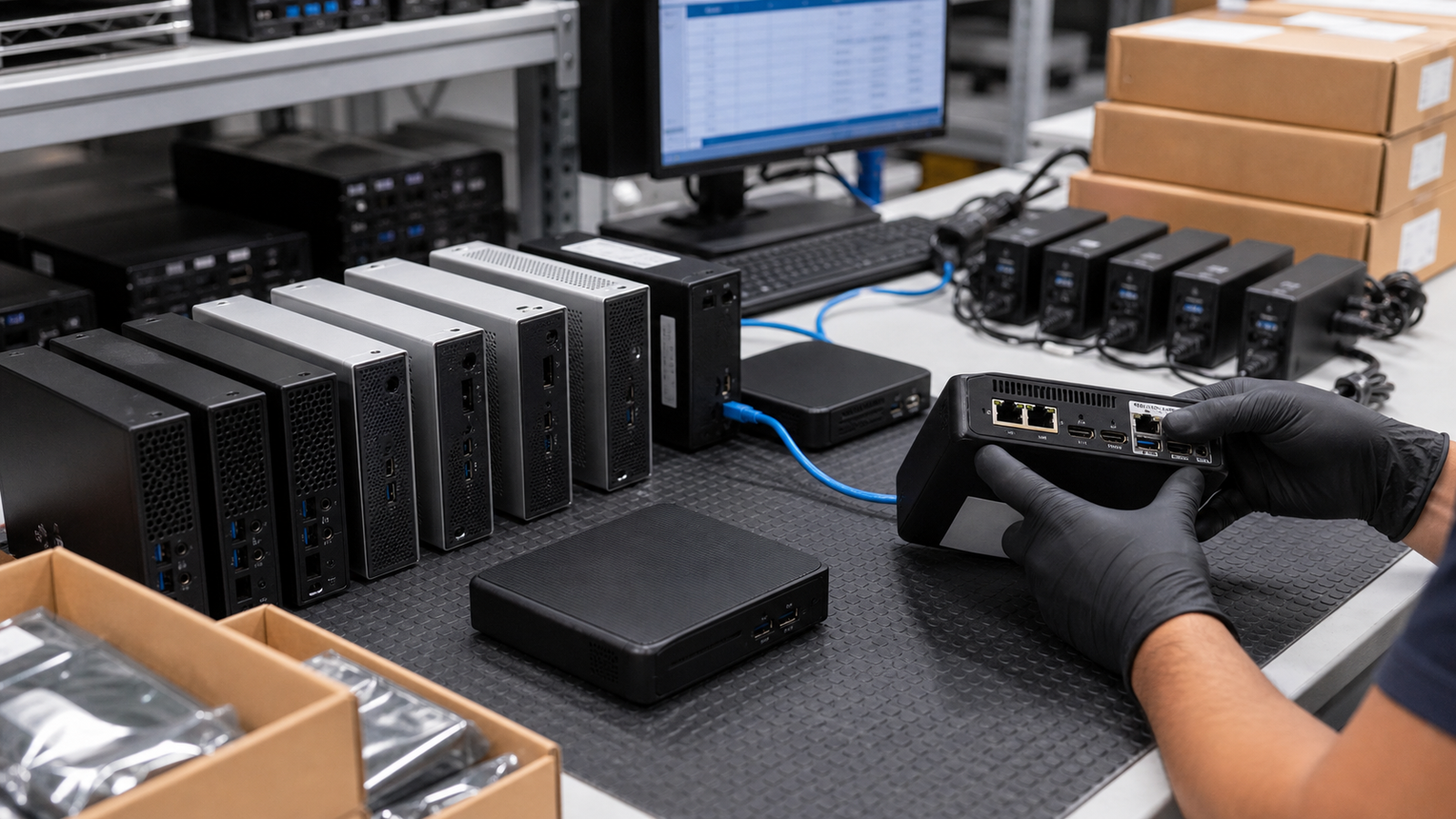
A compact desktop can look simple because it is small. That is the trap. A used mini PC order can fail over processor generation, power adapters, VESA mounts, locked BIOS settings, missing Wi-Fi antennas, weak storage, unsupported Windows requirements, or a display output that does not match the monitors on site.
TBR Trade Group helps buyers source tested used enterprise hardware, bulk computer parts, refurbished business computers, servers, GPUs, storage, workstations, and affordable business electronics. Mini PC and thin client requests move faster when the buyer shares model targets, operating system expectations, minimum specs, accessory needs, quantity, destination, and how the devices will be used.
Start With the Deployment
The first question is not "how cheap can we get them?" It is where the units are going. A browser-only kiosk, a warehouse label station, a Microsoft 365 office endpoint, a thin-client VDI rollout, a training-room fleet, and a resale lot do not need the same hardware.
Used mini PCs are strongest when the buyer treats them like fleet hardware instead of loose electronics. Define the job, then ask for the spec. That keeps the quote practical and reduces surprises during receiving.
- Separate standard office users, kiosk users, labs, training rooms, VDI terminals, signage, and resale inventory.
- List the software stack, browser needs, peripherals, monitor count, and network requirements.
- Decide whether matched models matter or whether mixed equivalent lots are acceptable.
- State whether the order needs ready-to-image hardware, tested no-OS units, or parts/recovery stock.
Mini PC and Thin Client Are Not the Same
A business mini PC is usually a compact general-purpose desktop. It may use laptop-class components, but it is still expected to run local applications, local storage, standard peripherals, and a normal desktop operating system. A thin client is often designed around virtual desktop infrastructure, browser sessions, remote apps, managed kiosk use, or a locked-down endpoint image.
That difference matters. Some thin clients have limited storage, soldered memory, specialized firmware, custom operating systems, or management tools that are useful only in the right environment. They can be excellent for controlled deployments, but they are not automatic substitutes for compact desktops.
- Ask whether each model is a general mini PC, zero client, thin client, micro desktop, or tiny desktop.
- Confirm whether the buyer needs Windows, Linux, ChromeOS Flex evaluation, VDI, browser-only use, or no operating system.
- Check local storage, RAM, firmware access, imaging options, management profile, and reset status.
- Do not assume a thin client can become a full desktop without checking CPU, RAM, storage, drivers, and licensing.
Windows 11 Readiness Is a Real Filter
Microsoft says Windows 10 reached end of support on October 14, 2025. Devices running it still function, but Microsoft no longer provides technical assistance, feature updates, or security updates for the operating system. That makes operating-system planning a required part of bulk used PC buying in 2026.
Microsoft's Windows 11 requirements include a compatible 64-bit processor with two or more cores, at least 4 GB of memory, 64 GB of storage, UEFI Secure Boot capability, TPM 2.0, DirectX 12 compatible graphics with a WDDM 2.0 driver, and a 720p or greater display. Those are minimum requirements, not a comfortable business spec. Many buyers should target more RAM, a tested SSD, and a processor generation that fits their software stack.
- Ask whether the lot is Windows 11 ready, Windows 10 only, Linux-ready, thin-client OS, no-OS, or sold for parts.
- Confirm CPU generation, TPM 2.0, UEFI Secure Boot, RAM, storage, graphics support, and driver availability.
- Separate Windows 11 capability from licensing, imaging, activation, endpoint management, and company security policy.
- For non-Windows use, document the supported OS path before treating the hardware as deployable.
Check CPU, Memory, and Storage Against the Job
Mini PCs often use efficient mobile or embedded processors. That can be ideal for power, noise, and space, but it also means buyers should not compare model names casually. A browser kiosk may run well on a modest processor. A multi-monitor office user with heavy web apps, spreadsheets, conferencing, security agents, and background management tools needs more headroom.
Memory and storage are the common quote problems. Some units use removable SO-DIMM memory and M.2 storage. Others have soldered memory or limited internal expansion. If the buyer needs a standard image, endpoint security tools, local cache, or multiple browser profiles, 4 GB and a tiny storage module may be too tight even if the operating system installs.
- Define minimum CPU class, core count, RAM, storage size, storage type, and acceptable processor generations.
- Ask whether memory and storage are removable, upgraded, tested, wiped, replaced, or soldered.
- Confirm SSD health, drive interface, capacity, and whether storage is included at all.
- Price matched configurations separately from mixed lots so deployment teams know what they are receiving.
Ports Decide Whether the Unit Fits the Desk
A mini PC usually succeeds or fails at the desk. The buyer should know the monitor type, monitor count, keyboard and mouse plan, network cabling, headset or speaker needs, barcode scanners, receipt printers, serial devices, USB security keys, and any USB-C display or power requirement.
Display output names also matter. HDMI, DisplayPort, Mini DisplayPort, VGA, USB-C DisplayPort Alt Mode, and Thunderbolt are not interchangeable without adapters. VESA explains that DisplayPort over USB-C allows a USB Type-C connector and cable to carry DisplayPort audio and video, but vendor information should identify the supported features. In buyer terms: ask for the exact ports and do not assume every USB-C port drives a monitor.
- Confirm HDMI, DisplayPort, VGA, USB-C, Thunderbolt, audio, serial, Ethernet, and USB-A requirements.
- Ask how many displays are supported at the needed resolution and refresh rate.
- List required adapters, antennas, keyboard/mouse bundles, barcode scanner connections, and printer connections.
- Make sure port condition is part of testing because loose USB, Ethernet, or power jacks create deployment delays.
Power Adapters and Mounts Are Part of the Product
Compact desktops are easy to buy without the parts that make them useful. Missing power bricks, wrong wattage adapters, no power cords, absent VESA brackets, missing stands, and unlabeled accessories can slow a rollout even when every system passes a power-on test.
For bulk orders, accessories should be quoted clearly. A "unit only" lot may be fine for refurbishers or parts buyers. A business deployment usually needs matching power adapters, cords for the destination country, mounts or stands, and sorted packing lists.
- Confirm whether OEM-style adapters are included, matched by wattage, tested under load, and packed with each unit.
- Ask for VESA mounts, monitor-back brackets, stands, screws, antennas, and cable kits when needed.
- Separate complete deployment kits from bare systems, parts units, and accessory-mixed lots.
- For international shipments, clarify plug type, voltage support, carton labels, and destination requirements before shipping.
Networking and Manageability Need Proof
Business mini PCs may include wired Ethernet, Wi-Fi, Bluetooth, or optional wireless modules. Thin clients may depend on stable network access more than local storage. A buyer should know whether each unit needs gigabit Ethernet, Wi-Fi 5, Wi-Fi 6, Wi-Fi 6E, Bluetooth, external antennas, PXE boot, wake-on-LAN, or remote management.
Intel describes vPro as a validated business PC platform with performance, hardware-based security, manageability, and stability features. It also says Intel Active Management Technology can support remote management for eligible vPro Enterprise devices. For used hardware, buyers should not treat a processor brand as proof of manageability. Confirm the exact model, chipset, firmware, BIOS settings, network silicon, and management status.
- Ask whether the devices support Ethernet, Wi-Fi, Bluetooth, PXE boot, wake-on-LAN, and remote management features.
- Confirm whether vPro, DASH, or other manageability features are present and enabled on the exact configuration.
- Check for BIOS passwords, asset locks, prior management enrollment, and firmware update restrictions.
- For VDI or kiosk use, test network stability with the actual peripherals and display layout where possible.
Storage Sanitization Should Be Documented
Any used computer with storage deserves a clear data-handling conversation. Formatting a drive or reinstalling an operating system is not the same as documented sanitization. If the units came from offices, schools, healthcare teams, retailers, warehouses, or public-sector environments, prior data risk should be handled before resale or redeployment.
NIST SP 800-88 Revision 2, published in September 2025, describes media sanitization as making access to target data infeasible for a given level of effort. For used mini PCs and thin clients, buyers should ask whether storage was wiped, securely erased, replaced, removed, encrypted, locked, blank, initialized, or sold as-is. If the device has embedded flash or soldered storage, confirm how that media was handled.
- Request the sanitization method, record type, and whether serial-level reporting is available.
- Ask whether SSDs were health-checked, replaced, erased, removed, or included without data guarantees.
- Confirm BIOS, TPM, secure boot, management, and prior enrollment state before imaging.
- If your company is retiring compact desktops, use TBR's IT asset recovery process to separate resale units from devices that need secure recycling.
Testing Should Match Deployment Risk
"Tested" should mean more than "it turns on." A bulk mini PC order should define what was checked: boot, CPU, RAM, storage health, video outputs, USB ports, Ethernet, Wi-Fi, audio, power adapter, BIOS access, thermal behavior, operating-system readiness, and cosmetic grade.
The right test depth depends on the use case. A refurbisher may accept a mixed diagnostic lot. A business rolling out endpoint hardware to employees should expect tighter grading, better accessory matching, and clearer return handling. TBR's warranty, testing, and returns page is a useful starting point for setting expectations before shipment.
- Define pass/fail checks for power, boot, display outputs, USB, Ethernet, wireless, storage, memory, fan noise, and thermals.
- Ask whether units were tested with included power adapters and under a realistic load.
- Require separate grades for cosmetic issues, missing accessories, BIOS locks, storage problems, and parts-only stock.
- Confirm the DOA window and replacement process before approving a large order.
Energy and Space Savings Still Need Specs
Compact desktops and thin clients are popular because they save desk space, reduce cable clutter, and can simplify deployment. They can also reduce power use compared with older full-size desktops, but the buyer should still check the actual model, configuration, and power-management settings.
ENERGY STAR says certified computers are third-party certified for energy efficiency and use about 30 to 40 percent less energy than standard models. ENERGY STAR's current computer criteria cover desktops, integrated desktops, notebooks, portable all-in-ones, thin clients, and workstations, with requirements for modes such as off, sleep, and idle. The U.S. Department of Energy also lists desktops, integrated desktops, notebooks, slates/tablets, portable all-in-ones, and thin clients in its federal acquisition guidance.
- Ask whether the target model has ENERGY STAR, EPEAT, or other procurement attributes required by your organization.
- Check idle, sleep, wake, and remote-management behavior before assuming the units will save energy in real use.
- Confirm wall mounting, monitor mounting, cable routing, and desk security needs before deployment.
- For 24/7 kiosks or signage, test thermals and stability in the installed orientation.
Packaging Protects the Rollout
Mini PCs are dense, stackable, and easy to damage when they are packed loosely with power bricks, stands, screws, antennas, and cables. Good packaging keeps units separated, protects ports and corners, keeps accessories matched, and makes receiving faster for the buyer.
For mixed hardware shipments, pair this article with TBR's shipping information and ESD-safe computer component packaging checklist. A strong order is not just tested hardware. It is tested hardware that arrives sorted, labeled, and ready for intake.
- Pack each device so the chassis, ports, antennas, and power connector are protected from impact.
- Keep power adapters, mounts, screws, and cables bagged or boxed by unit, model, or carton.
- Use clear labels for model, grade, quantity, accessories, and destination department.
- For palletized orders, avoid heavy cartons crushing smaller device boxes or accessory kits.
Reuse Makes Sense When Quality Is Clear
Used mini PCs and thin clients can keep useful business electronics in service instead of sending working equipment directly to recycling. That is good for budget-sensitive deployments, repair pools, controlled endpoints, training labs, and buyers who need practical hardware without waiting for a full new-device refresh.
EPA explains that reusing and refurbishing electronics extends product life spans and contributes to source reduction of raw materials. The quality control still matters. Devices with locked firmware, damaged ports, failed storage, unsupported operating systems, or missing adapters may belong in repair, parts recovery, or secure e-waste disposal instead of direct redeployment.
Bulk Mini PC Quote Checklist
Before approving a used business mini PC or thin client order, send the supplier enough detail to quote accurately:
- Target model numbers, acceptable alternates, quantity, destination, deadline, and deployment use case.
- Mini PC, micro desktop, tiny desktop, thin client, zero client, or parts/recovery classification.
- Operating system requirement, Windows 11 readiness, TPM, UEFI Secure Boot, BIOS access, and imaging expectations.
- Minimum CPU, memory, storage type, storage capacity, SSD health, and upgrade requirements.
- Display outputs, number of monitors, resolution needs, USB-C or Thunderbolt requirements, Ethernet, Wi-Fi, and Bluetooth.
- Power adapter, power cord, VESA mount, stand, antenna, keyboard/mouse, cable, and display adapter requirements.
- Testing scope, cosmetic grade, serial reporting, accessory matching, and DOA or warranty expectations.
- Storage sanitization method, certificate needs, prior management enrollment status, and arrival state.
- Packaging requirements for sorted cartons, accessory kits, labels, pallets, and receiving documentation.
If you are sourcing used business mini PCs, thin clients, desktops, laptops, monitors, docking stations, GPUs, servers, storage, or broader business electronics, include model targets, quantities, accessory needs, condition expectations, accepted substitutions, and destination when you request a quote from TBR Trade Group.
FAQ
Are used business mini PCs worth buying?
They can be worth buying when the workload is clear and the units are tested, correctly specified, properly sanitized, packaged with the right accessories, and supported by clear return terms. They are risky when the order is quoted only by price and quantity.
What is the biggest mistake when buying used mini PCs in bulk?
The biggest mistake is ignoring the accessories and deployment details. Missing power adapters, wrong display outputs, no VESA mounts, locked BIOS settings, or mixed specs can waste more time than the buyer saved on unit price.
Can used thin clients run normal desktop workloads?
Some can, but many are built for managed endpoint or virtual desktop use. Confirm CPU, RAM, local storage, operating system support, firmware access, drivers, and licensing before treating a thin client as a general desktop replacement.
Should mini PCs include storage?
It depends on the order. Deployment-ready units usually need tested and sanitized storage. Some refurbishers or parts buyers may prefer no storage or storage sold as-is. The quote should state this clearly.
Source Notes
- Microsoft Learn Windows 11 requirements: Microsoft lists minimum Windows 11 hardware requirements including compatible 64-bit processor, 4 GB memory, 64 GB storage, UEFI Secure Boot capability, TPM 2.0, DirectX 12 compatible graphics, and display requirements.
- Microsoft Windows 10 support ended: Microsoft states that Windows 10 reached end of support on October 14, 2025, and no longer receives technical assistance, feature updates, or security updates.
- NIST SP 800-88 Rev. 2: NIST's September 2025 media sanitization guide describes sanitization as making access to target data infeasible and focuses on program-level controls for disposal or reuse based on information sensitivity.
- ENERGY STAR Computers: ENERGY STAR says certified computers are third-party certified for energy efficiency, use about 30 to 40 percent less energy than standard models, and are evaluated across off, sleep, and idle modes.
- U.S. Department of Energy computer purchasing guidance: DOE lists desktops, integrated desktops, notebooks, slates/tablets, portable all-in-ones, and thin clients in federal acquisition guidance for energy-efficient computers.
- Intel vPro platform overview: Intel describes vPro as a validated business PC platform with performance, hardware-based security, manageability, and stability features, including remote-management capabilities for eligible configurations.
- VESA DisplayPort FAQ: VESA explains that DisplayPort over USB-C allows a USB Type-C connector and cable to support DisplayPort audio and video, and that vendor information should identify supported features.
- EPA electronics stewardship guidance: EPA explains that reusing and refurbishing electronics extends product life spans and contributes to source reduction of raw materials.