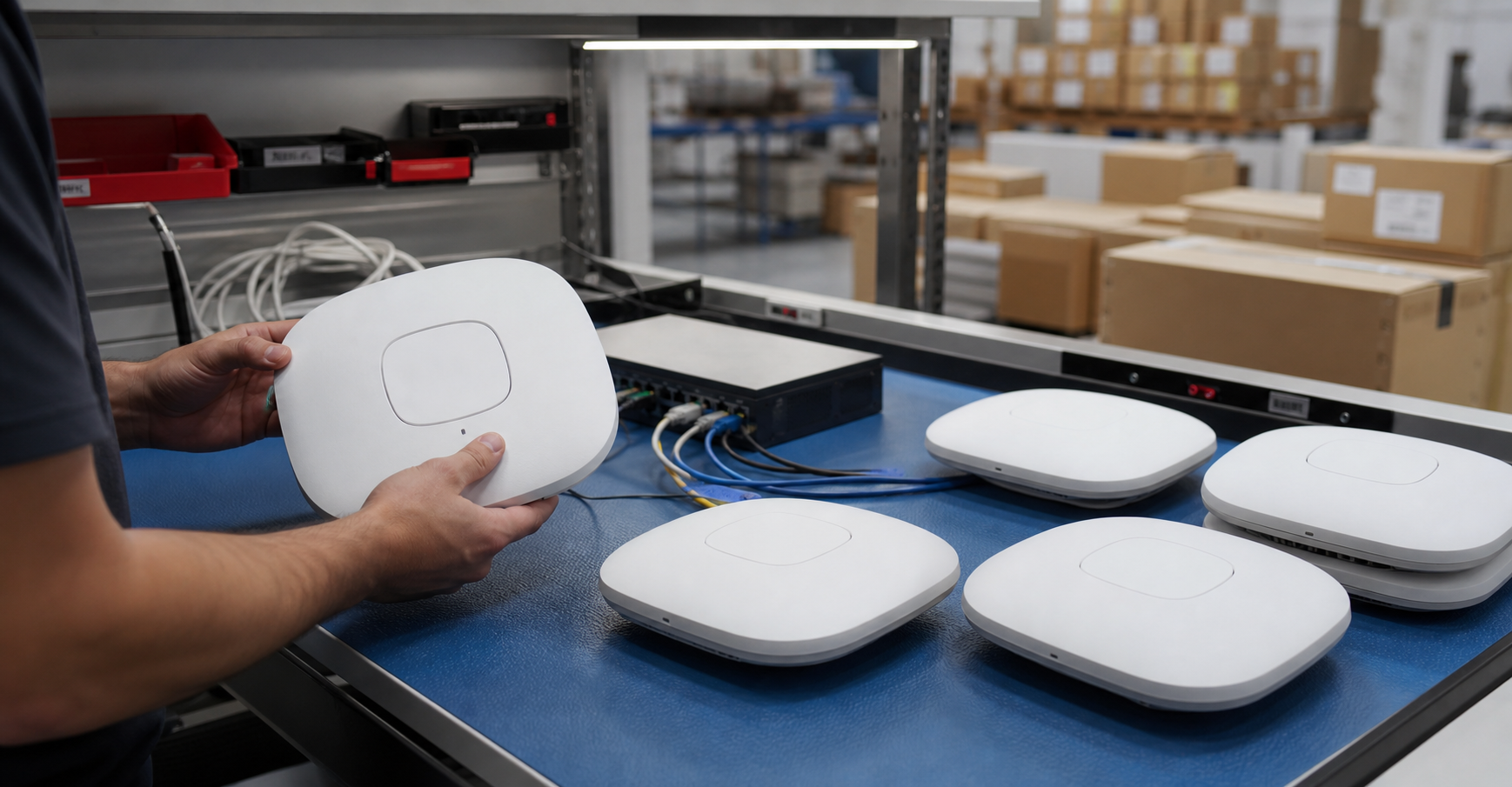
An access point looks simple from the ceiling. On the buying side, it is a mix of radio generation, controller compatibility, cloud licensing, PoE budget, mounting hardware, firmware support, security configuration, and physical condition. A low price is not a win if the units cannot join the buyer's management platform or if the receiving team has no brackets, no reset proof, and no way to power them.
TBR Trade Group works with buyers sourcing tested used enterprise hardware, bulk computer parts, servers, workstations, GPUs, and networking equipment. Wi-Fi access point requests are strongest when the quote names the model family, quantity, acceptable alternates, mounting needs, power requirements, controller environment, license expectations, condition grade, destination, and receiving deadline.
Start With the Deployment, Not the Model Number
The first question is where the access points will be used. A school wing, warehouse aisle, small office, hotel hallway, lab, healthcare admin area, call center, and reseller lot do not have the same density, mounting, coverage, or management needs. A buyer should decide whether the order supports production users, spare inventory, a lab, a temporary project, or resale before shopping by unit price.
For production networks, the access point has to fit an existing design. That means the same controller or cloud platform, the right radio generation, enough PoE budget, known licensing, and a firmware path that the network team accepts. For spare pools and reseller inventory, matching may be less strict, but part numbers, condition, and accessory details still matter.
- Define the site type: office, education, warehouse, healthcare, hospitality, lab, public sector, reseller, or spare inventory.
- List the existing wireless platform, controller, cloud dashboard, switch family, and support model.
- Decide whether exact model matching is required or whether same-family substitutions are acceptable.
- Separate production deployment needs from test lab, staging, training, or resale needs.
Wi-Fi 6, 6E, and 7 Are Not Interchangeable
Wi-Fi generation matters, but it should not be the only filter. Wi-Fi 6 access points can still be practical for many business environments in 2026, especially when the client fleet is mostly laptops, scanners, tablets, phones, and office devices that do not need 6 GHz. Wi-Fi 6E extends Wi-Fi 6 into the 6 GHz band where available, while Wi-Fi 7 adds newer capabilities that can help higher-density and lower-latency use cases.
Wi-Fi Alliance says Wi-Fi 6E certification is designed for devices operating in 6 GHz and supports features such as OFDMA, target wake time, MU-MIMO, WPA3 security, and up to seven 160 MHz channels where spectrum rules allow them. Wi-Fi Alliance also describes Wi-Fi 7 features such as 320 MHz channels, Multi-Link Operation, and 4K QAM. Those features can be valuable, but they only help when client devices, regulations, cabling, switching, power, and the network design can use them.
The practical buyer question is not "which generation is newest?" It is "which generation will work with this building, this client fleet, this budget, and this support window?" Paying extra for Wi-Fi 7 does not help a warehouse of 2.4 GHz scanners. Buying old dual-band access points does not help an office standardizing on 6 GHz-capable laptops.
- Confirm whether the deployment needs Wi-Fi 5, Wi-Fi 6, Wi-Fi 6E, or Wi-Fi 7.
- Check whether the buyer's country and site plan allow the intended 6 GHz use.
- Match AP capability to real client devices, not only to future marketing claims.
- Ask whether 2.4 GHz, 5 GHz, and 6 GHz radios are required for the order.
PoE Budget Can Decide the Whole Order
Many enterprise access points are powered by Power over Ethernet. That does not mean every switch can power every AP at full capability. Some access points need higher PoE classes for full radio operation, USB ports, BLE radios, or peak performance. Others can boot on a lower power budget but disable features. A good quote should not stop at "PoE supported."
Ask for the required power standard, expected wattage, and whether injectors or power adapters are included. If the access points will connect to used switches, pair this article with TBR's used enterprise network switches buying guide. The AP and switch need to be quoted as a working power and data path, not as separate guesses.
- Confirm whether the AP requires PoE, PoE+, PoE++, an injector, or a local power adapter.
- Check switch PoE budget across the full quantity, not just one test port.
- Ask whether injectors, adapters, and power cords are included or excluded.
- Document whether the unit runs full radio capability at the planned power level.
Licenses and Controllers Need Written Confirmation
Enterprise access points are often tied to a controller, cloud dashboard, subscription, support contract, feature license, or organization account. Some used units can be adopted into a buyer's environment with the right license. Others may be locked, claimed, unsupported, or impractical to reuse without transfer steps. This is one of the biggest differences between buying a simple unmanaged device and buying enterprise wireless hardware.
Cisco Meraki's public policy is a useful reminder of the issue. Its documentation says legacy hardware may face changes after end of support, including no guaranteed dashboard connectivity, no troubleshooting, no firmware patches, and possible feature incompatibility. Cisco also announced 2026 end-of-sale and end-of-life milestones for several Cisco and Meraki Wi-Fi 6 indoor access points, with dates extending years into the future for certain support milestones. The lesson is not that one vendor is unusual; the lesson is that lifecycle and licensing are procurement details, not fine print.
- Ask whether each AP is unclaimed, factory reset, and ready for adoption where applicable.
- Confirm whether licenses are transferable, included, buyer-supplied, or not required.
- Check end-of-sale, end-of-software-maintenance, vulnerability support, and last-support dates.
- Verify whether the target controller or cloud platform still accepts the model.
Firmware and Security Resets Are Part of Testing
An access point can power on and still be a bad fit if it cannot join the buyer's environment, cannot accept the needed firmware, or still contains old configuration data. NIST's WLAN security guidance emphasizes that access points and wireless switches need to be secured through the full WLAN lifecycle, including design, deployment, ongoing maintenance, and monitoring. That makes reset, configuration, and update expectations part of the buying process.
For used hardware, buyers should ask what "reset" means. Was the AP returned to factory settings? Was it removed from a prior cloud organization if the platform requires that? Were old SSIDs, keys, logs, certificates, and management settings cleared where applicable? If the device includes local storage or sensitive configuration, NIST SP 800-88 Revision 2 is a useful current reference for building a media sanitization program around reuse and disposal.
- Ask for factory-reset confirmation and adoption-readiness where the platform supports it.
- Confirm whether serial numbers or MAC addresses can be provided before shipment.
- Check whether firmware is current, updateable, restricted, or intentionally left to the buyer.
- Do not deploy reused APs with unknown passwords, old SSIDs, stale certificates, or legacy security settings.
Mounting Hardware Is Easy to Forget
Access points often need ceiling clips, wall brackets, T-rail adapters, locking tabs, outdoor mounts, pole kits, screws, rubber feet, or region-specific power accessories. Missing mounts can delay a deployment even when every access point powers on. For a small office, the installer might improvise. For a school, warehouse, or multi-site rollout, missing mounting hardware can become a real schedule problem.
Before approving a bulk AP order, decide whether the quote includes only the access points, access points with standard mounts, access points with power injectors, or complete ready-to-install kits. TBR's hardware condition guide can help frame condition language for missing accessories, cosmetic wear, and tested functional inventory.
- List required mounts, brackets, clips, screws, covers, injectors, adapters, and power cords.
- Confirm whether indoor, outdoor, wall, ceiling, pole, or desk placement is planned.
- Ask whether yellowing, scratches, broken tabs, missing labels, or paint marks are acceptable.
- Keep accessory inclusion clear on the quote so receiving can reconcile quickly.
Condition Checks Should Focus on Radios, Ports, and Housing
Cosmetic marks may be acceptable for many used enterprise access point orders, especially when units mount above the visible work area. Damage to ports, antenna housings, seals, LEDs, reset buttons, mounting tabs, or labels is different. Outdoor units need extra attention because weather exposure, cracked seals, corrosion, missing glands, or damaged connectors can shorten useful life.
Ask whether the units were inspected for casing cracks, broken clips, missing labels, swollen plastic, smoke or heat marks, port damage, reset button behavior, LED behavior, and signs of corrosion. For lots with mixed model families, ask the supplier to sort by model, region, radio generation, mount type, and condition grade before packing.
- Inspect Ethernet ports, reset buttons, LEDs, mounting tabs, labels, and casing condition.
- Separate indoor APs, outdoor APs, hospitality wall plates, and specialty models.
- Check whether serial numbers, MAC addresses, or asset labels must be preserved.
- Document substitutions if exact part-number matching is not required.
Testing Should Match the Risk of the Rollout
"Tested" should be specific. For used enterprise Wi-Fi access points, practical testing may include visual inspection, model and serial verification, PoE or adapter power-on, Ethernet link check, boot or LED behavior, factory reset confirmation, and basic adoption-readiness notes where possible. A buyer does not need a full site survey from a hardware supplier, but the order should make clear what was checked before shipment.
For production orders, the buyer may want a sample unit tested in the target environment before buying a larger lot. For spare pools and reseller inventory, the test level may be different. TBR's warranty, testing, and returns page can help define DOA expectations, receiving timelines, and replacement planning before hardware leaves the warehouse.
- Confirm the testing scope: power, Ethernet link, reset, model verification, and visual inspection.
- Ask whether every unit was checked or whether the lot was sampled.
- Use a pilot unit when controller adoption or licensing is uncertain.
- Set receiving and DOA reporting timelines before approving the shipment.
Packaging Protects the Useful Value
Access points are lighter than servers, but they can still be damaged by loose packing. Mounting clips snap, plastic housings scuff, Ethernet ports collect debris, labels peel, and mixed accessories get separated from the units they belong with. A bulk Wi-Fi order should be packed so receiving teams can count, stage, and install without hunting through a box of loose brackets and cables.
For mixed shipments that include switches, network adapters, SSDs, memory, GPUs, or other tested electronics, use TBR's shipping information and the ESD-safe computer component packaging checklist as companion references. Small devices still need separation, labels, cushioning, and clear packing lists, especially when shipping internationally.
- Separate APs from mounts, screws, injectors, cables, and heavy metal parts.
- Use labeled bags or inner cartons for model families and accessory groups.
- Protect Ethernet ports, mounting tabs, labels, and plastic housings from pressure.
- Match packing lists to part numbers, quantities, condition notes, and destination requirements.
When Used Enterprise Access Points Make Sense
Used enterprise access points make the most sense when the buyer understands the existing platform and needs affordable compatible coverage, spare units, lab capacity, classroom refresh hardware, reseller inventory, or support for a stable installed base. They are less attractive when the project requires a brand-new support contract, new Wi-Fi 7 features, guaranteed long-term firmware support, or exact transfer of vendor subscriptions.
For many organizations, the practical plan is mixed. A new core network can coexist with tested used APs in a secondary building. A stable Wi-Fi 6 fleet can keep spare units on hand while a Wi-Fi 7 transition is planned. A reseller can buy sorted, tested lots if model, condition, accessories, and reset status are documented. For retired equipment, TBR's IT asset recovery and secure e-waste disposal services can help route usable hardware toward reuse and end-of-life units toward responsible handling.
Used Enterprise Wi-Fi Access Point Quote Checklist
Before approving a used enterprise access point order, send the supplier enough detail to quote accurately:
- Target model, acceptable alternates, quantity, destination, deadline, and required condition grade.
- Wi-Fi generation, radio bands, indoor or outdoor use, and region or regulatory expectations.
- Controller, cloud dashboard, license, support, and adoption requirements.
- PoE standard, switch PoE budget, injectors, adapters, and power cord requirements.
- Mounting hardware, brackets, clips, screws, wall plates, pole kits, and accessory needs.
- Factory reset, unclaimed status, firmware expectations, serial or MAC reporting, and security reset requirements.
- Testing scope for power, Ethernet link, boot behavior, reset, model verification, and visual inspection.
- Packaging expectations for sorted models, mounts, labels, accessories, and mixed shipments.
- DOA, replacement, return, and receiving timeline requirements.
If you are sourcing used enterprise Wi-Fi access points, network switches, computer parts, workstations, GPUs, servers, or broader business electronics, include model targets, quantities, condition expectations, accessory needs, accepted substitutions, and destination when you request a quote from TBR Trade Group.
FAQ
Are used enterprise Wi-Fi access points a good fit for office refreshes?
They can be a good fit when the buyer already understands the wireless platform, client fleet, controller, license path, PoE requirements, condition expectations, and support lifecycle. They are less ideal when the project requires all-new vendor warranty or unknown cloud transfer status.
Should I buy Wi-Fi 6, Wi-Fi 6E, or Wi-Fi 7 access points?
Choose based on the client devices, site density, band requirements, budget, support window, and controller environment. Wi-Fi 7 may be valuable for demanding networks, while Wi-Fi 6 can still be practical for many compatible business deployments.
What does factory reset mean for used access points?
At minimum, it should mean the device is returned to defaults where possible. For cloud-managed platforms, buyers should also confirm whether the unit is unclaimed or transferable and whether it can join the intended organization.
What accessories should I ask about?
Ask about ceiling brackets, wall mounts, T-rail clips, screws, covers, outdoor mounts, pole kits, power injectors, local power adapters, power cords, and any model-specific mounting plates.
Source Notes
- Wi-Fi Alliance Wi-Fi 6E certification announcement: Wi-Fi Alliance describes Wi-Fi 6E certification for 6 GHz devices, noting interoperability, WPA3, OFDMA, target wake time, MU-MIMO, and 160 MHz channel benefits where spectrum is available.
- Wi-Fi Alliance Wi-Fi CERTIFIED 7 announcement: Wi-Fi Alliance lists Wi-Fi 7 capabilities including 320 MHz channels, Multi-Link Operation, 4K QAM, and reliability improvements for high-demand use cases.
- Wireless Broadband Alliance Wi-Fi 7 enterprise trials: WBA reported 2025 enterprise trial results showing Wi-Fi 7 throughput, latency, efficiency, and reliability improvements in tested environments.
- NIST SP 800-153 WLAN security guidance: NIST states that WLAN security depends on securing client devices, access points, and wireless switches across design, deployment, maintenance, and monitoring.
- NIST SP 800-88 Revision 2 announcement: NIST explains that SP 800-88r2 focuses on enterprise media sanitization programs for reuse and disposal based on information sensitivity.
- Cisco Meraki end-of-life policy: Cisco Meraki describes end-of-sale, end-of-support, firmware, and support implications that buyers should consider when sourcing used cloud-managed hardware.
- Cisco and Meraki Wi-Fi 6 indoor AP EOL announcement: Cisco's June 2026 bulletin lists end-of-sale and support milestone dates for several Wi-Fi 6 indoor access point products.