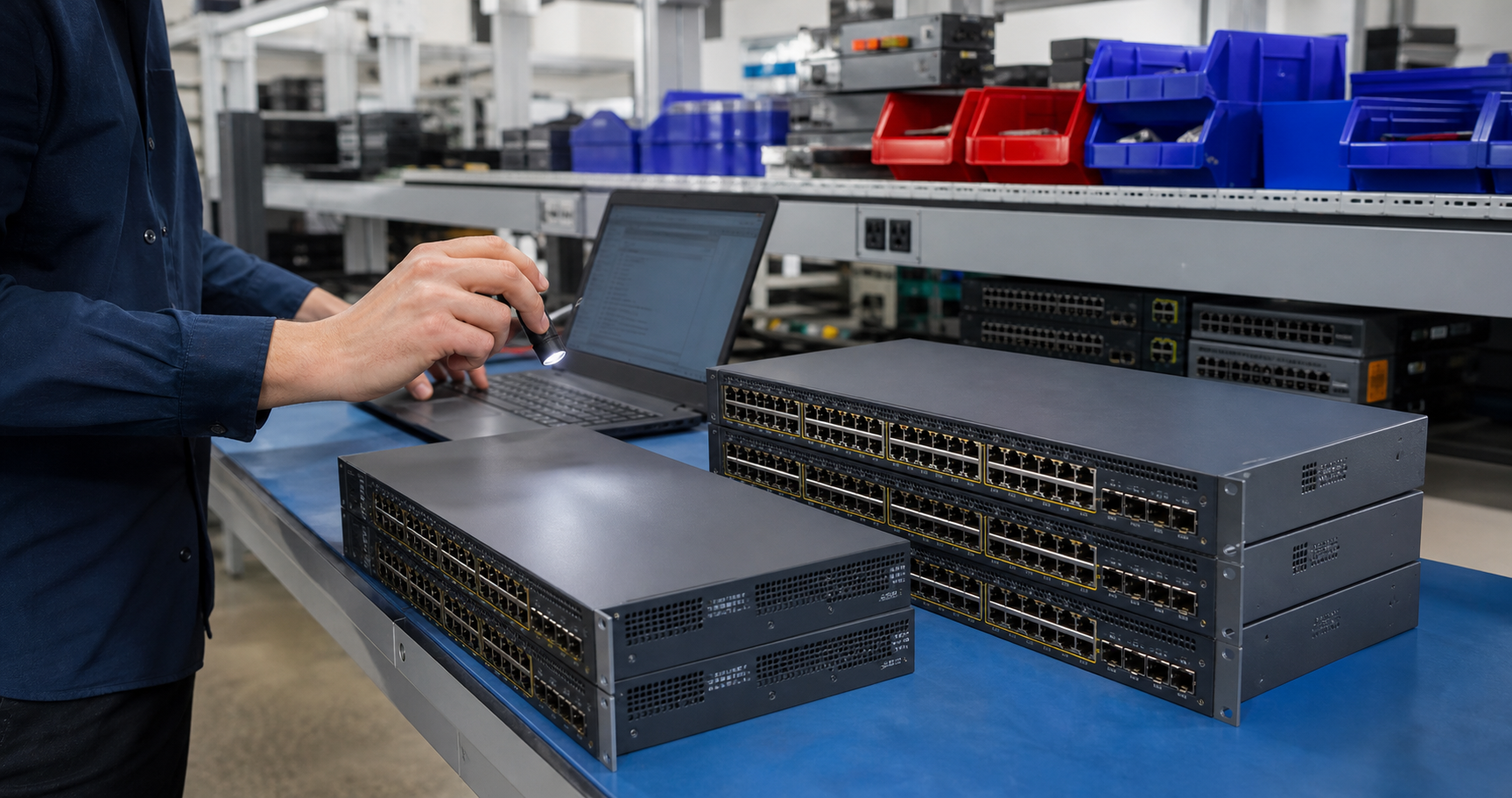
Enterprise network switches are easy to underestimate because the front of the device looks simple: ports, status lights, uplinks, and power. In real purchasing, the details behind those ports determine whether the order will support the next deployment or create a receiving problem. A 48-port switch is not automatically the right switch if it has the wrong uplink type, weak fan condition, unsupported firmware, missing rack ears, no usable power budget, or optics that do not match the environment.
For buyers sourcing tested used enterprise hardware, network equipment deserves the same practical discipline as servers, storage, GPUs, and workstations. TBR Trade Group helps customers source broader used enterprise hardware, and network switches fit naturally into projects where budget, lead time, and known condition matter more than buying every device new.
Start With the Network Role
The first step is defining where the switch will sit. Access switches, aggregation switches, top-of-rack data center switches, lab switches, office refresh hardware, camera-network switches, and temporary project switches all have different requirements. A buyer who only asks for "24-port" or "48-port" hardware may miss the details that make the device usable on day one.
For office access deployments, port count, PoE, quiet operation, and uplink compatibility may matter most. For data center or lab use, buyers may care more about 10G, 25G, 40G, or 100G uplinks, airflow direction, redundant power supplies, rails, licensing status, and transceiver fit. If the switch supports a production environment, lifecycle and firmware availability should be part of the quote discussion.
- Identify whether the switch will be used for access, aggregation, lab, resale, repair inventory, or data center work.
- List required copper port speed, uplink speed, fiber type, airflow direction, power supply count, and rack-mount accessories.
- Separate must-have model numbers from acceptable equivalents before asking for pricing.
- Tell the supplier whether substitutions are allowed, and what features cannot change.
Do Not Buy on Port Count Alone
Port count is only the visible starting point. Buyers should confirm port speed, uplink format, stacking support, fan behavior, power supply configuration, management interface, and whether the device is suitable for the intended environment. An office closet may need quiet operation and standard front-to-back cabling. A data center rack may need a specific airflow direction, redundant power, and compatible optics. A resale lot may need clean serial tracking and consistent cosmetic grades.
When switches are part of a larger server or rack refresh, connect the request to the surrounding equipment. TBR's server and data center hardware sourcing page is a useful internal reference for orders that combine switches with servers, storage, GPUs, memory, cables, and rack accessories.
Plan PoE Before the Quote
Power over Ethernet can be the difference between a clean deployment and a surprise second purchase. Cisco describes PoE as technology that carries electrical power and data over twisted-pair Ethernet cabling, and modern switch families may support different PoE standards and power levels. The important buyer question is not only "Does this switch have PoE?" It is "Does this switch have enough usable power budget for the devices attached to it?"
Access points, desk phones, cameras, thin clients, badge readers, and other powered devices may all draw different amounts of power. A used switch may have 24 or 48 PoE-capable ports, but the total available PoE budget can still limit how many devices can run at once. Buyers should provide the device mix and expected wattage before asking for a final model recommendation.
- Confirm whether the switch supports the required PoE standard and total wattage budget.
- Ask whether all PoE ports were checked or whether testing was limited to general power-on status.
- Confirm power supply part numbers when PoE budget depends on installed PSU capacity.
- For camera, wireless, or phone deployments, leave headroom instead of sizing the switch to the exact expected draw.
Check Optics, Uplinks, and Cable Compatibility
SFP, SFP+, QSFP, DAC cables, and fiber optics can add complexity to used switch sourcing. A switch may physically accept a module but still have firmware or vendor compatibility requirements. Cisco maintains an optics compatibility matrix for its transceiver families, which is a reminder that compatibility is model-specific and should be checked before the order ships.
Buyers should ask whether optics are included, excluded, or quoted separately. If optics are included, confirm model numbers, quantity, speed, connector type, and whether the quote includes original modules, compatible modules, or a mixed lot. For receiving teams, it is also worth separating switch serials from optics serials so replacements and claims are easier to manage.
For broad component orders, TBR's bulk computer parts page is a practical fit when the switch order includes cables, optics, server parts, memory, drives, or other tested electronics in the same shipment.
Confirm Firmware, Licensing, and Lifecycle Status
Used enterprise switches can remain useful long after their first owner retires them, but support status matters. Cisco's end-of-life resources organize product lifecycle information and support milestones, and many enterprise vendors publish similar notices. End-of-life does not automatically mean a device has no value, but it can affect firmware access, security fixes, vendor support, replacement parts, and buyer risk tolerance.
Before approving a purchase, ask whether the model is still supported for the intended use. Also ask whether any license-bound features are required. Some switch capabilities can depend on software images, support contracts, feature licenses, cloud management status, or account ownership. Used hardware buyers should not assume every advanced feature is transferable.
- Confirm whether the required firmware or software train is available for the buyer's environment.
- Ask if the device is factory reset and free of prior owner management enrollment where applicable.
- Identify any license-dependent features before comparing two seemingly similar model numbers.
- For security-sensitive networks, confirm whether the model still receives relevant security updates.
Ask About Configuration Wiping
Switches and routers can retain more than basic settings. Prior VLANs, management IP addresses, SNMP communities, local users, certificates, logs, routing details, banners, and automation credentials may remain if equipment is not reset correctly. A buyer does not need the prior owner's configuration, and the prior owner does not need its configuration traveling with the equipment.
NIST SP 800-88 Rev. 2 defines media sanitization around rendering access to target data infeasible for a given level of effort. In a used networking context, buyers should ask the supplier to treat configuration and stored data as part of the preparation process, not as an afterthought. That means documenting whether the unit was reset, whether removable storage was removed or wiped, and whether passwords or management bindings were cleared.
This is especially important when retired switches are part of a larger IT asset recovery project. If your company is selling or retiring mixed hardware, TBR's IT asset recovery process can help separate reusable equipment from devices that need repair, parts recovery, or secure recycling.
Define Testing Before Receiving
"Tested" should mean more than "it powers on." For network switches, buyers should ask what testing was actually performed: power supplies, fans, console access, port checks, uplink cages, PoE output, reset status, serial tracking, cosmetic condition, and included accessories. If a deployment depends on every port, ask whether every port was checked or whether testing was sampled.
The right testing depth depends on risk. A lab or resale buyer may accept a different process than a business deploying switches into active closets. TBR's warranty, testing, and returns page is a helpful reference for setting expectations around pass/fail criteria, receiving documentation, and issue handling.
- Ask for model, serial, part number, port count, uplink type, power supply count, and accessory list.
- Confirm whether ports, PoE, uplinks, fans, console access, and management reset status were checked.
- Request clear condition grading for scratches, bent rack ears, missing covers, label residue, or damaged ports.
- Clarify whether rack ears, power cords, stacking cables, console cables, rails, optics, or DACs are included.
Package Network Hardware Like Rack Equipment
Enterprise switches are dense, metal, and port-heavy. Poor packaging can bend rack ears, crack faceplates, damage ports, rub labels off, or let loose accessories scrape equipment in transit. Larger orders should be organized by model, condition, accessory set, and destination when practical. Cartons should make receiving easier, not harder.
If the shipment includes optics, transceivers, line cards, memory, or other sensitive electronics, use the same care described in TBR's ESD-safe computer component packaging checklist. If the order crosses borders, confirm paperwork, carrier requirements, consignee details, and receiving expectations before the order leaves the warehouse. TBR's shipping information and international computer parts shipping checklist are useful references for those conversations.
Used Enterprise Switch Buying Checklist
Before approving a used enterprise switch order, confirm these details with the supplier:
- Deployment role, model targets, acceptable equivalents, and required feature set are clear.
- Port count, port speed, uplink speed, SFP or QSFP requirements, and cabling plan are documented.
- PoE standard, PoE budget, power supply configuration, and powered-device mix are understood.
- Firmware, lifecycle status, licensing, reset status, and management enrollment risks have been reviewed.
- Configuration wiping, password clearing, and any removable storage handling are documented.
- Testing covers the parts that matter: ports, uplinks, fans, console access, PoE, serials, and accessories.
- Packaging protects ports, rack ears, optics, labels, power supplies, and lot organization.
- Return expectations, photo evidence, and receiving timelines are agreed before shipment.
If you are sourcing tested used network switches, optics, rack accessories, server parts, or mixed enterprise electronics, include model numbers, quantities, condition expectations, destination, required accessories, and any PoE or uplink requirements when you request a quote from TBR Trade Group.
FAQ
Are used enterprise switches reliable enough for business networks?
They can be, especially for labs, office refreshes, resale inventory, repair pools, budget-sensitive expansions, and controlled deployments. Reliability depends on model selection, lifecycle status, testing depth, power supply condition, fan behavior, packaging, and the supplier's support process.
What is the most common mistake when buying used switches?
The most common mistake is buying by port count and price alone. Buyers also need to confirm uplinks, PoE budget, airflow, optics, licenses, firmware status, accessories, and testing.
Do used switches usually include optics?
Not always. Optics, DAC cables, stacking cables, rack ears, power cords, and console cables should be listed clearly on the quote. If those accessories are required, ask for model numbers and quantities before approving the order.
Should old network switches be recycled instead of reused?
It depends on condition, support status, security requirements, and demand. EPA electronics guidance encourages considering repair or upgrades before buying new, but switches that are unsupported, damaged, locked, or unsuitable for reuse may need parts recovery or responsible recycling.
Source Notes
- Cisco, What Is Power over Ethernet?: Cisco explains that PoE sends electrical power and data over twisted-pair Ethernet cabling and describes PoE use with connected devices.
- Cisco, End-of-Life and End-of-Sale Notices: Cisco publishes product lifecycle and end-of-support notices that buyers can check when evaluating used enterprise network hardware.
- Cisco Optics Compatibility Matrix: Cisco provides a model-specific compatibility resource for transceivers and platforms, supporting the need to verify optics fit before shipment.
- NIST SP 800-88 Rev. 2, Guidelines for Media Sanitization: Published September 2025; defines media sanitization as rendering access to target data infeasible for a given level of effort.
- U.S. EPA, Electronics Donation and Recycling: EPA notes that donation and recycling conserve resources and recommends considering repair or upgrades before buying new electronics.