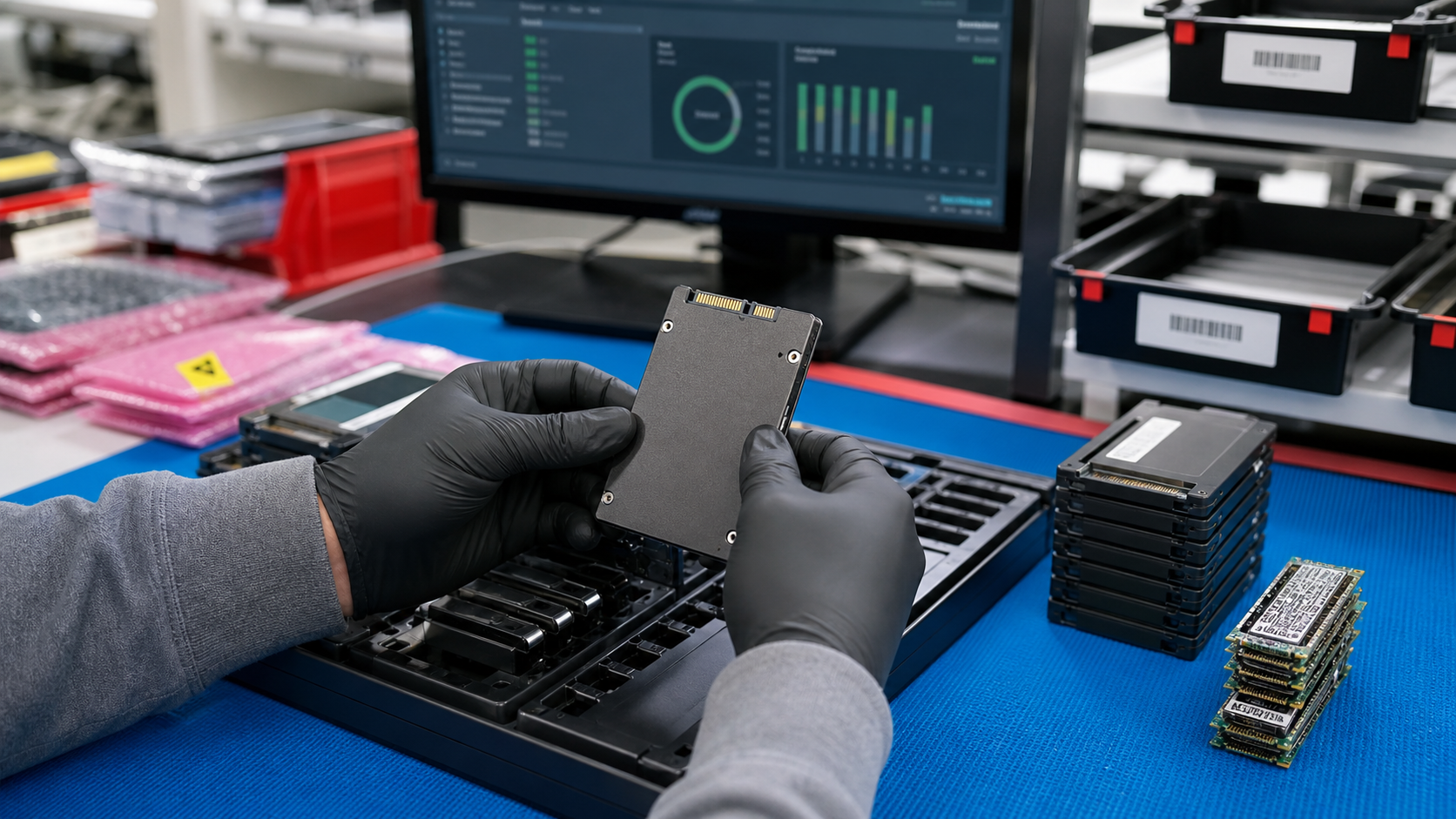
Buying used enterprise SSDs is different from buying a new retail drive. The label may show capacity, but it does not tell you how the drive was used, whether it fits your server backplane, what health data was reviewed, or how prior data was handled. For IT teams, repair shops, resellers, labs, and upgrade projects, those details matter more than a low unit price.
The goal is not to avoid pre-owned storage. Tested used SSDs, NVMe drives, and other enterprise storage media can extend the life of reliable systems and keep useful hardware in service. The goal is to buy with enough information to protect uptime, data security, and receiving teams. TBR Trade Group supports broader used enterprise hardware sourcing, and storage orders should get the same disciplined checks as GPUs, memory, CPUs, and server parts.
Confirm Workload Before You Shop by Capacity
Capacity is only the starting point. A drive that is acceptable for a read-heavy boot volume may not be right for write-heavy logging, cache, scratch space, database testing, video ingest, or virtualized workloads. Used enterprise SSD buyers should describe the job first, then match interface, endurance, and condition to that job.
Ask whether the deployment needs SATA, SAS, U.2 NVMe, M.2 NVMe, EDSFF, or another format. The NVM Express specification set describes NVMe as the industry standard for SSDs across form factors including U.2, M.2, add-in card, and EDSFF. That does not mean every NVMe drive fits every server. Backplane, carrier, firmware, cooling, lane support, and BIOS compatibility still matter.
- Share the target server, workstation, storage shelf, or enclosure model before quoting.
- Confirm interface, form factor, height, connector, and carrier requirements.
- Separate read-heavy, mixed-use, and write-heavy workloads in the request.
- Do not mix drive families or firmware levels unless the receiving team expects it.
Ask for Health Data, Not Just a Tested Label
"Tested" should mean more than powering on a drive. A practical storage test should confirm that the drive is detected correctly, reports expected capacity, passes basic read/write checks, and shows health information that is appropriate for the intended resale condition. For NVMe media, NVM Express notes that its I/O command set specifications define data structures, features, log pages, commands, and status values that extend the base specification. Those logs help turn a vague claim into reviewable evidence.
Different drive types expose different information, so buyers should avoid asking for one universal number and instead request the available health report for the specific media. Useful fields may include model number, firmware, serial tracking, power-on hours, available spare, percentage used, temperature warnings, media and data integrity errors, unsafe shutdowns, reallocated sectors, retired blocks, or manufacturer-specific wear indicators.
This is where a condition conversation helps. TBR's hardware condition guide gives buyers a shared vocabulary for cosmetic and functional grading, while storage-specific health data helps explain whether the drive belongs in production spares, lab use, testing, resale, or parts-only disposition.
Separate Data Sanitization From Drive Testing
A drive can pass a hardware test and still be unacceptable if prior data handling is unclear. Formatting a drive, deleting partitions, or reinstalling an operating system should not be treated as a complete sanitization process for business data. Buyers should ask how storage media was sanitized, whether a certificate or internal record is available, and whether the order will ship blank, initialized, or otherwise prepared.
NIST SP 800-88 Rev. 2, published in September 2025, defines media sanitization as a process that makes access to target data infeasible for a given level of effort. The guidance is built around setting up a sanitization program based on the sensitivity of the information, which is a useful frame for companies retiring, reselling, or redeploying storage.
For sellers and IT asset recovery teams, storage sanitization should be part of the intake workflow. If your company is retiring drives, servers, laptops, or workstations, TBR's IT asset recovery process can help separate resale value from recycling needs before hardware leaves your control.
Match Endurance to the Next Owner's Use
Enterprise SSDs are often purchased for endurance, power-loss protection, firmware behavior, and predictable performance under sustained workloads. In the used market, those strengths still matter, but the remaining life of the device needs to fit the next use case. A lightly used boot SSD and a heavily written cache drive may look similar in a tray but should not be treated the same in procurement.
Ask for the datasheet or part family when possible, then compare the reported wear indicators to the planned workload. If a supplier cannot provide perfect history, ask what was tested and what was not. A clear answer is more useful than an overconfident claim. TBR's warranty, testing, and returns page is a good internal reference for understanding how buyers should handle post-delivery questions.
- Use lower-risk drives for lab, imaging, staging, and non-critical spares.
- Reserve higher-health lots for production-adjacent replacements or urgent repairs.
- Track serials when the order supports future warranty, receiving, or resale work.
- Document known limitations before drives are installed in customer systems.
Inspect Packaging, Labels, and Lot Organization
Storage media is small enough to be mishandled easily. A box full of loose SSDs may arrive quickly, but it can damage connectors, scratch labels, create ESD exposure, and make receiving slower than it needs to be. Drives should be protected from rubbing, impact, flexing, and static discharge, especially when a shipment includes mixed capacities or form factors.
For larger orders, ask the supplier to organize drives by model, capacity, interface, and condition. Carton labels and packing lists should make receiving practical. If the project includes GPUs, boards, memory, or other components alongside storage, use the same discipline covered in our ESD-safe component packaging checklist.
International buyers should also consider paperwork and receiving details before shipment. The international computer parts shipping checklist explains why product descriptions, carton counts, battery status, carrier routing, and delivery instructions should be aligned before the order is released.
Plan Reuse and End-of-Life Handling Together
Good storage sourcing is part of a larger electronics lifecycle. EPA guidance says donating or recycling electronics helps conserve resources and natural materials, and it advises users to delete personal information before donating or recycling used electronics. For business storage, that idea needs a stricter operational process: identify reusable drives, sanitize media, document disposition, and recycle failed or unsuitable devices responsibly.
Buyers should also decide what happens after the next deployment. Some drives may be used as spares until failure. Others may be acceptable for testing environments but not for sensitive workloads. Drives with unclear history, failed health checks, or unsupported form factors may belong in TBR's secure e-waste disposal path instead of resale.
Used Enterprise SSD Buying Checklist
Before approving a used SSD or enterprise storage order, confirm these items with the supplier:
- Target system, interface, form factor, carrier, firmware needs, and workload are known.
- Model, capacity, serial tracking, lot size, and condition grade are documented.
- Supplier testing includes detection, capacity verification, and practical read/write checks.
- Available SMART, NVMe, or manufacturer health data is reviewed before purchase.
- Sanitization status is clear and not confused with a simple format.
- Packaging protects labels, connectors, anti-static requirements, and lot organization.
- Receiving teams have carton counts, packing lists, and serial expectations.
- Failed, unsuitable, or data-risk media has a secure recycling or disposal path.
If you are sourcing tested storage for repair inventory, reseller stock, server maintenance, or a larger hardware refresh, include model, quantity, condition targets, and destination when you request a quote from TBR Trade Group.
FAQ
Can used SSDs be used in production systems?
Sometimes, but production use should depend on workload, redundancy, health data, remaining endurance, supplier testing, warranty expectations, and the buyer's tolerance for replacement risk. Many used drives are better suited for spares, testing, staging, repair, or lower-risk deployments.
What is the difference between used consumer SSDs and used enterprise SSDs?
Enterprise SSDs are typically designed for data center or business workloads, with features such as sustained performance tuning, endurance ratings, firmware behavior, and sometimes power-loss protection. Exact features vary by model, so the part family and datasheet matter.
Should buyers ask for serial numbers before shipment?
For bulk or higher-value orders, yes. Serial tracking can help with receiving, warranty conversations, inventory control, and post-delivery issue resolution.
What is the most common mistake when buying used enterprise SSDs?
The biggest mistake is buying only by capacity and price. Interface fit, health data, sanitization, endurance profile, packaging, and support expectations should be reviewed before payment.
Source Notes
- NIST SP 800-88 Rev. 2, Guidelines for Media Sanitization: Published September 2025; defines media sanitization as making access to target data infeasible for a given level of effort and frames sanitization around information sensitivity.
- NVM Express, Specifications: NVMe specifications define how host software communicates with non-volatile memory and cover SSD form factors including U.2, M.2, add-in card, and EDSFF.
- U.S. EPA, Electronics Donation and Recycling: EPA notes that electronics donation and recycling can conserve resources and advises deleting personal information before donating or recycling used electronics.