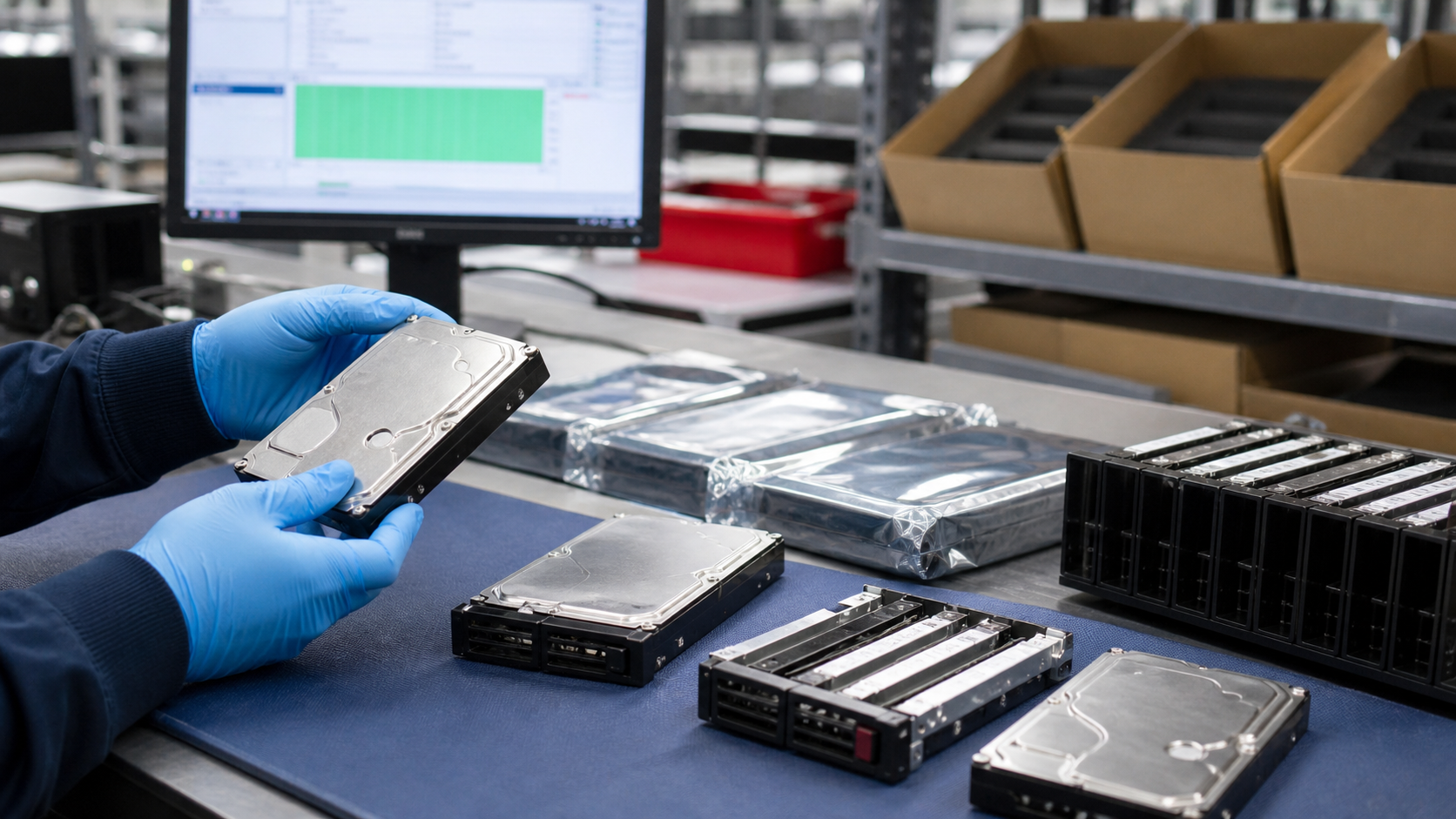
A used enterprise hard drive can look perfectly normal on a receiving bench and still be wrong for the job. It may be SATA when the storage shelf expects SAS. It may be 512e when the controller policy expects 4Kn. It may have the right label but the wrong caddy, firmware family, sector format, power-on history, or sanitization record.
TBR Trade Group helps buyers source tested used enterprise hardware, bulk computer parts, servers, GPUs, storage media, workstations, and affordable business electronics. Hard drive requests move faster when the buyer shares model targets, acceptable substitutes, capacity range, interface, tray needs, health expectations, destination, and how the drives will be used.
Start With the Use Case
The first question is not "how many terabytes?" It is where the drives are going. A storage array spare, a surveillance recorder, a backup target, a lab server, a refurbishing project, and a reseller lot can all point to different acceptable risk levels. A drive that makes sense for test benches or cold spare inventory may not be appropriate for primary production data without redundancy and backups.
Used enterprise HDDs are strongest when they are matched to a known platform and handled as part of a broader storage plan. That means checking the server or enclosure, controller support, firmware expectations, workload, replacement process, and how failures will be handled after delivery.
- Define whether the order is for production spares, repair inventory, lab use, backup, archive, resale, or parts recovery.
- Name the server, storage shelf, RAID controller, HBA, NAS, or appliance model the drives need to support.
- Separate mission-critical storage from lower-risk capacity, test, and resale applications.
- Confirm whether drives need trays, screws, interposers, labels, serialized packing lists, or matched firmware lots.
Match Interface, Form Factor, and Tray
Most used enterprise hard drive orders begin with SATA or SAS. SATA can be practical for cost-sensitive storage and many server environments. SAS is common in enterprise arrays because of controller, backplane, dual-port, and management requirements. Nearline SAS can give buyers high-capacity HDD economics with SAS connectivity, but only if the platform supports it.
Form factor matters just as much. A 3.5-inch LFF drive will not solve a 2.5-inch SFF bay problem. A bare drive may not be useful if the buyer needs OEM-style caddies, tray screws, interposers, or shelf-specific carriers. Before pricing a lot, separate "drive only" from "drive in tray" and spell out whether mixed trays are acceptable.
- Confirm SATA, SAS, or nearline SAS before comparing price by capacity.
- Check 3.5-inch LFF versus 2.5-inch SFF, drive height, and enclosure bay compatibility.
- Ask whether trays, caddies, interposers, screws, labels, or pulled-system identifiers are included.
- For arrays, confirm accepted part numbers and firmware families before approving substitutes.
Capacity Is Not the Whole Specification
Capacity is easy to quote and easy to misunderstand. A buyer may ask for "12TB drives" but actually need a specific interface, sector format, firmware family, model generation, spindle speed, encryption support, and tray type. Even within the same capacity, enterprise drives can vary by performance class, workload rating, recording technology, power behavior, and controller compatibility.
Western Digital's data center hard drive overview shows how current product families can vary by capacity, SATA or SAS interface, recording format, helium design, reliability specification, and workload rating. Those specs are useful for framing a requirement, but used-drive buying still needs a unit-level check: the physical drive, model number, firmware, health data, and accessories need to match what will actually ship.
- Request exact model numbers when platform compatibility is strict.
- State acceptable capacity alternates instead of letting substitutions happen informally.
- Confirm spindle speed, cache, sector format, encryption status, and firmware family when relevant.
- Ask whether the lot is matched by model, mixed by equivalent spec, or sorted into separate line items.
Check 512e, 4Kn, and Controller Policy
Sector format can create receiving headaches. Many enterprise HDDs are sold as 512e or 4Kn. A controller or storage appliance may support one format cleanly and reject, warn on, or perform differently with another. This is especially important when replacing drives in an existing array where the rest of the pool already has a standard format.
Do not assume that same capacity means same behavior. If the buyer is filling an existing shelf, use the current drive inventory as the baseline. If the buyer is building a new storage pool, confirm what the controller, operating system, file system, and application expect before accepting mixed sector formats.
- Ask whether the order requires 512e, 4Kn, or another sector format.
- Keep replacement drives aligned with the format already used in the array when possible.
- Confirm controller, firmware, operating system, and appliance support before mixing formats.
- Label or segregate any mixed-format drives so receiving teams do not discover the issue during deployment.
Understand CMR, SMR, and Workload Fit
Recording technology matters for enterprise storage. Conventional Magnetic Recording, or CMR, remains the default expectation for many general-purpose server and array workloads. Shingled Magnetic Recording, or SMR, can increase density, but it is not a casual substitute for every environment.
Seagate says SMR is best suited to workloads that are sequential or can be made sequential, such as large media repositories, backup tiers, compliance archives, and object storage. Seagate also says SMR deployments typically need architectural control of the storage software stack and write behavior. In buyer terms: if your controller, file system, or operations team is not designed for SMR behavior, ask for CMR drives or confirm the exact SMR mode and compatibility before buying.
- Ask whether each drive is CMR, SMR, or another recording class when the workload is sensitive.
- Use CMR as the safer default for mixed random-write server workloads unless the platform calls for something else.
- Consider SMR only when the storage architecture, write pattern, and management tooling support it.
- Do not mix CMR and SMR in an array unless the platform owner has approved the design.
Use Health Data, Not Just Power-On
Power-on hours are useful, but they are not a complete health check. A drive with lower hours can still have transport damage, reallocated sectors, pending sectors, interface errors, vibration history, thermal stress, or failed self-tests. A drive with higher hours may still be useful if it has stable health data and is going into a lower-risk role. The quote should define what health data is available and how the supplier uses it.
Backblaze publishes a large open Drive Stats dataset and explains that its daily drive snapshots include basic drive information plus raw and normalized S.M.A.R.T. attributes. Its Q1 2026 snapshot reported 341,263 drives, 30,203,180 drive days, 1,030 failures, and a 1.24 percent annualized failure rate for that fleet. Those numbers do not predict any one used drive, but they do reinforce a practical point: drive buying should be model-aware, age-aware, and health-data-aware.
- Ask which S.M.A.R.T. attributes are reviewed, including reallocated, pending, uncorrectable, power-on, power-cycle, temperature, and interface error data where available.
- Confirm whether the drives passed short tests, extended tests, read scans, write/read tests, or platform-specific diagnostics.
- Define whether units with bad sectors, warning attributes, failed self-tests, or excessive interface errors are excluded.
- Request serial-level reporting when the order is for production spares or managed inventory.
Workload History Affects Buyer Risk
Enterprise HDDs are designed around expected workload categories. Seagate describes annualized workload rate as a calculation based on lifetime reads, lifetime writes, and lifetime power-on hours. In the same guidance, Seagate lists enterprise capacity nearline drives with a common workload-rate limit under 550 TB per year. A used drive lot does not always include complete lifetime workload detail, but buyers should ask when the application is sensitive.
Workload history is especially important for drives pulled from dense data center storage, video systems, backup appliances, and always-on arrays. If workload data is not available, compensate with stricter testing, better spares planning, clear warranty terms, and realistic placement of the drives.
- Ask whether lifetime reads, lifetime writes, and power-on hours are available from the drive family.
- Use lower-risk roles for drives with incomplete history or mixed pulls.
- Keep spare quantities realistic because used drives should be managed as part of a replacement plan.
- Do not use workload ratings as a promise for individual used units; use them to frame fit and risk.
Reliability Claims Need Context
Hard drive reliability metrics are population statistics, not guarantees for one drive. Seagate explains that Annualized Failure Rate is useful for service plans and spare strategies, and that AFR and MTBF specifications are not relevant to individual units. Seagate also notes that temperature, shock, vibration, and handling damage affect reliability.
For buyers, this means a used enterprise HDD order should not rely on a spec-sheet MTBF number alone. It should be supported by health screening, platform compatibility, packaging quality, receiving checks, spares, backups, and clear replacement terms. TBR's warranty, testing, and returns page can help set expectations around tested hardware and DOA handling before shipment.
- Compare model family, age, and health data instead of ranking drives by MTBF alone.
- Check whether the drives came from clean data center pulls, mixed IT asset recovery, resale stock, or unknown channels.
- Plan for spares and redundancy in any production use.
- Keep backups and recovery plans separate from the purchase decision; a good supplier is not a backup strategy.
Data Sanitization Should Be Documented
Storage media carries a different obligation than many other used components. A CPU, memory module, or network card does not usually create the same data exposure question as a hard drive. For used HDDs, buyers should ask whether drives are wiped, blank, initialized, encrypted, failed, locked, or sold for parts only. Sellers should keep sanitization as part of the intake workflow.
NIST published SP 800-88 Revision 2 in September 2025. NIST describes media sanitization as making access to target data infeasible for a given level of effort, and says the guide helps organizations set up media sanitization programs with appropriate methods and controls based on information sensitivity. For buyers, the practical question is simple: what sanitization standard or process was used, what evidence exists, and what condition will the drives be in when they arrive?
- Ask whether the order is sanitized, unsanitized, failed, locked, blank, or initialized.
- Request certificate, serial-level record, or process summary when data risk matters.
- Do not treat a quick format, deleted partition, or reinstalled operating system as complete sanitization.
- If you are retiring drives, servers, or storage shelves, use TBR's IT asset recovery process to separate resale from recycling and data-risk handling.
Packaging Protects Both Electronics and Mechanics
Hard drives need protection from electrostatic discharge and physical shock. A loose box of bare drives can turn a good purchase into a receiving problem. Drives should be separated, cushioned, and packed so connectors, labels, drive lids, and circuit boards do not hit each other in transit. For mixed orders, cartons should also be organized by model, capacity, interface, condition grade, and destination.
Seagate's packing instructions recommend antistatic or ESD bags and individual protection for drives, and warn against packing pellets, peanuts, air bags, or newspaper. The ESD Association says ANSI/ESD S541-2026 defines packaging properties for protecting electrostatic discharge susceptible items through production, transport, and storage. Pair this guide with TBR's shipping information and ESD-safe computer component packaging checklist when planning broader mixed-component shipments.
- Use antistatic bags or equivalent ESD-safe protection for bare internal drives.
- Keep drives individually cushioned so metal housings and connector edges do not collide.
- Separate heavy drives from lighter electronics, SSDs, memory, GPUs, cables, and accessories.
- Use clear packing lists that match model, serial, quantity, grade, and carton labels.
Used HDDs Can Support Responsible Reuse
Used hard drives should not be forced into roles they are not suited for. But when they are tested, matched, sanitized, packaged, and used with appropriate redundancy, they can keep valuable storage media in productive service. That is useful for repair operations, data center spares, labs, refurbishers, resellers, archive workflows, and buyers trying to control IT costs.
EPA says reusing and refurbishing electronics extends product life spans and contributes to source reduction of raw materials. For HDDs, the reuse path has to be balanced with data security and reliability. Drives with healthy test results may be candidates for resale or redeployment. Drives with failed tests, damaged connectors, poor health data, or data-risk constraints may belong in secure e-waste disposal or materials recovery instead.
Bulk Enterprise HDD Quote Checklist
Before approving a used hard drive order, send the supplier enough detail to quote accurately:
- Target model numbers, acceptable alternates, quantity, capacity range, destination, deadline, and use case.
- SATA, SAS, or nearline SAS interface; 3.5-inch LFF or 2.5-inch SFF form factor; tray or bare-drive requirement.
- Required sector format, firmware family, part number family, encryption status, and array compatibility constraints.
- CMR or SMR requirement, workload type, redundancy plan, and whether mixed lots are acceptable.
- Health data expectations, S.M.A.R.T. thresholds, power-on-hour limits, test type, and pass/fail exclusions.
- Sanitization standard, certificate or serial-level record needs, and whether drives should arrive blank or initialized.
- Condition grade, label or asset-tag expectations, connector wear limits, and cosmetic acceptance.
- Packaging requirements for antistatic protection, individual cushioning, carton labeling, and sorted delivery.
- Warranty, DOA handling, replacement process, and receiving inspection timeline.
If you are sourcing used enterprise hard drives, SSDs, servers, storage components, GPUs, workstations, or broader business electronics, include model targets, quantities, compatibility requirements, testing expectations, accepted substitutions, and destination when you request a quote from TBR Trade Group.
FAQ
Are used enterprise hard drives worth buying?
They can be worth buying when the use case, compatibility, health data, sanitization, testing, packaging, and replacement terms are clear. They are risky when a buyer only compares capacity and price without checking fit.
What is the difference between used enterprise HDDs and used enterprise SSDs?
Enterprise HDDs are magnetic spinning disks, while SSDs use flash media. HDD buying usually focuses on interface, sector format, mechanical health, power-on history, workload, vibration/shock handling, and packaging. SSD buying focuses more on endurance, wear, NVMe/SATA/SAS fit, firmware, and sanitization. See TBR's used enterprise SSD buying checklist for SSD-specific checks.
Should used hard drives be wiped before shipment?
For most business resale or redeployment uses, yes. The buyer and seller should agree on the sanitization method, recordkeeping, and arrival state before shipment. Drives sold for parts, failed lots, or recovery workflows should be labeled clearly.
Can I mix hard drive models in the same storage array?
Sometimes, but it depends on the platform and risk tolerance. Check controller support, firmware requirements, sector format, capacity, speed, recording method, tray fit, and vendor policy. Many production environments prefer matched models or approved alternates.
Source Notes
- NIST SP 800-88 Rev. 2: NIST's September 2025 media sanitization guide describes sanitization as making access to target data infeasible and focuses on program-level controls for disposal or reuse based on information sensitivity.
- Backblaze Drive Stats dataset: Backblaze publishes an open hard drive and SSD reliability dataset. Its Q1 2026 snapshot lists 341,263 drives, 30,203,180 drive days, 1,030 failures, and a 1.24 percent AFR for that reporting period.
- Seagate annualized workload rate guidance: Seagate explains workload rate using lifetime reads, lifetime writes, and power-on hours, and lists enterprise capacity nearline drives with a common workload-rate limit under 550 TB per year.
- Seagate HDD reliability guidance: Seagate explains AFR and MTBF as population-level reliability metrics and notes that temperature, shock, vibration, and handling damage affect hard drive reliability.
- Seagate CMR and SMR guidance: Seagate describes SMR as best suited for sequential or easily sequentialized workloads and says effective SMR deployments need control of the storage software stack and write behavior.
- Western Digital data center HDD overview: Western Digital lists data center hard drive families across capacity, SATA/SAS interface, recording format, helium design, reliability metrics, and workload ratings.
- Seagate packing and shipping instructions: Seagate recommends antistatic or ESD bags and individual cushioning for drives, and warns against packing pellets, peanuts, air bags, or newspaper.
- ESD Association ANSI/ESD S541-2026 overview: The ESD Association describes ANSI/ESD S541-2026 as defining packaging properties needed to protect electrostatic discharge susceptible items through production, transport, and storage.
- EPA electronics stewardship guidance: EPA explains that reusing and refurbishing electronics extends product life spans and contributes to source reduction of raw materials.