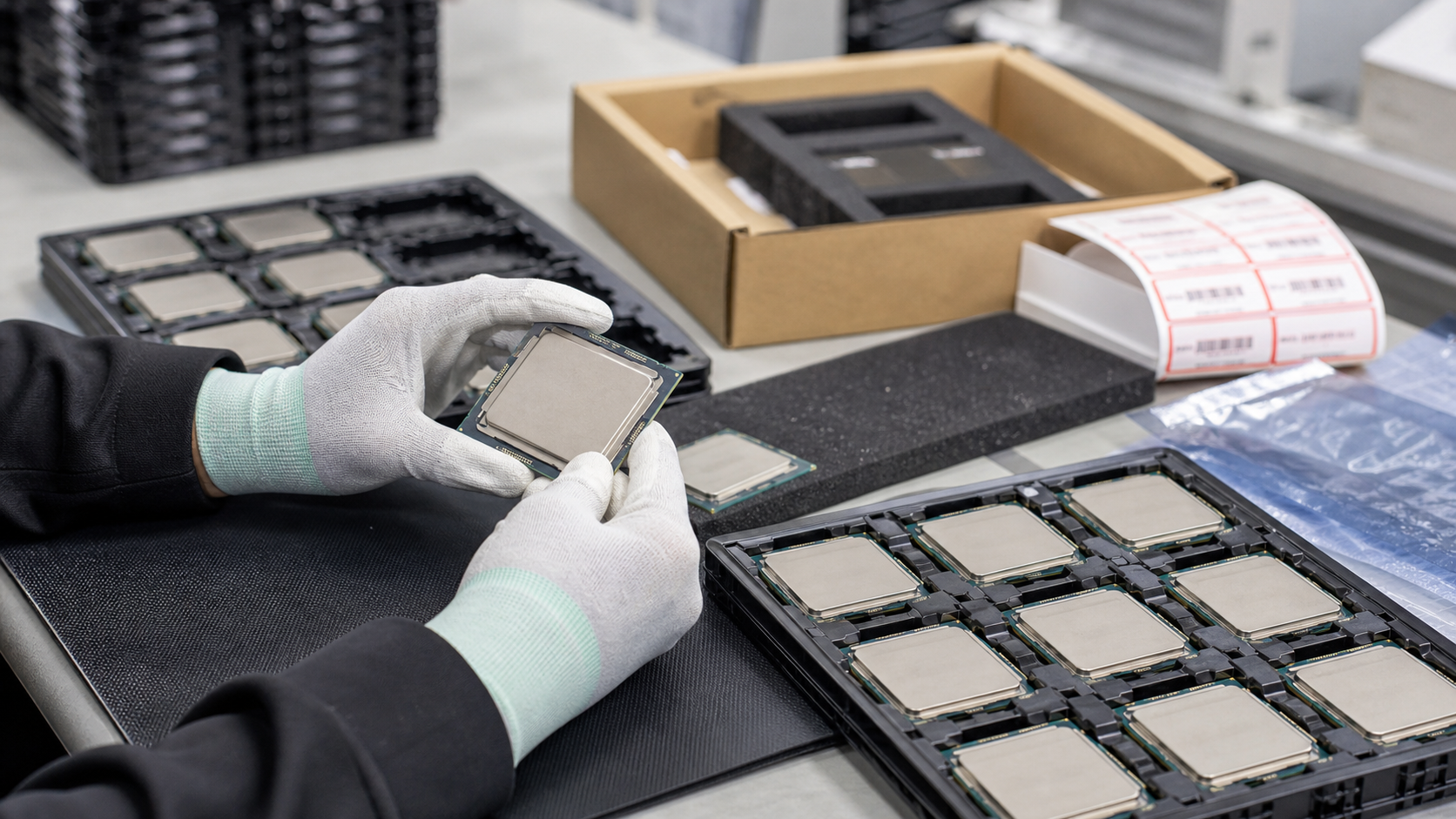
A used server CPU can look like a small line item, but it can decide whether a refresh is clean or painful. The right processor can extend a reliable server, bring more cores to a virtualization host, keep a workstation fleet productive, or help a lab standardize spares without buying a full new platform. The wrong processor can fail to boot, force a BIOS update, exceed the chassis cooling design, mismatch a dual-socket pair, or arrive with damaged contacts.
That is why enterprise CPU sourcing should start with the platform and workload, not only with a model number or a low price. TBR Trade Group helps buyers source broader server and data center hardware, and processor requests are strongest when they include the system model, board family, current CPU, memory plan, thermal limit, quantity, destination, and acceptable substitutions.
Start With the Platform
The safest used CPU purchase starts with the target server or workstation. Socket type matters, but it is not the whole compatibility story. Buyers also need to confirm CPU generation, motherboard support, chipset or platform family, BIOS level, memory generation, power delivery, heatsink fit, and whether the system is single-socket or dual-socket. A processor can be genuine and functional while still being wrong for the board.
For dual-socket systems, ask whether CPUs need to be matched by model, stepping, core count, and power class. For workstations, check whether the chassis cooling and firmware support the target processor. For resale or repair inventory, define acceptable part numbers, cosmetic condition, tray condition, and whether mixed lots are acceptable. TBR's bulk computer parts page is a natural fit when CPU sourcing is part of a wider component order that includes memory, SSDs, GPUs, heatsinks, cables, or trays.
- Identify the exact server, workstation, motherboard, socket, BIOS level, and current CPU.
- Confirm whether the system supports the desired CPU generation, TDP class, and memory type.
- Separate must-have processor SKUs from acceptable equivalents before comparing quotes.
- For multi-CPU platforms, confirm pairing rules before buying a mixed lot.
Match the Processor to the Workload
Enterprise buyers often start with core count, but the best CPU choice depends on the workload. Virtualization hosts may benefit from many cores and memory capacity. CAD, simulation setup, and certain engineering applications may prefer higher per-core performance. Database, analytics, AI inference, backup, and storage workloads can lean on different mixes of cores, cache, memory bandwidth, PCIe lanes, and accelerator support.
Intel and AMD both publish processor specifications that make these tradeoffs visible. Official product pages organize server processors by generation and SKU, and the details can include core counts, clock behavior, cache, memory support, PCIe support, power class, and platform features. Those specs should be checked against the actual server vendor's compatibility list before the order ships.
If the CPU will support engineering, rendering, CAD, BIM, simulation, or content creation workloads, pair the processor discussion with GPU, memory, and storage needs. TBR's professional engineering workstations page can help frame those upgrades around the full system instead of the CPU alone.
Do Not Buy on Price Per Core Alone
Used CPU pricing can move quickly, especially around high-core-count server processors. Current industry reporting has shown dramatic price drops on some premium AMD EPYC chips, which makes secondary-market opportunities more visible. A low unit price is useful, but it is only valuable if the processor can be used in the target platform and supported by the supplier.
Price per core misses practical details: the platform may need a specific generation, a lower-wattage SKU, a known stepping, a supported BIOS, or a matching pair. Some secondary-market processors can also carry platform-specific restrictions, prior deployment risks, or unclear provenance. Buyers should treat an unusually cheap processor as a prompt for better verification, not as a reason to skip due diligence.
- Compare price against compatibility, condition, testing depth, and return support.
- Check whether the processor is a tray/OEM part and whether the target platform accepts it.
- Ask whether the supplier has tested the CPU in a compatible board, not only identified the label.
- For mission-critical systems, avoid one-off bargains with unclear history or no replacement path.
Thermals and Power Are Compatibility Checks
Processor power is not a footnote. Intel explains thermal design power as a target for thermal-solution design at base frequency, and it notes that real power can vary by workload and turbo behavior. For buyers, the practical takeaway is simple: a CPU upgrade has to fit the server's cooling and power envelope, not just the socket.
A high-wattage processor may require a different heatsink, airflow shroud, fan profile, power supply configuration, or chassis generation. In dense racks, thermal headroom can also affect noise, reliability, and nearby components. Used CPUs should be quoted with the expected thermal class, and buyers should confirm whether heatsinks, thermal interface material, carrier frames, or installation hardware are included.
This matters even more when the upgrade is part of a life-extension plan. TBR's corporate hardware upgrades page is a useful internal reference for deciding whether CPU, memory, storage, or GPU upgrades will extend useful life without creating a maintenance problem.
Check Memory and I/O Fit at the Same Time
Server processors are tied closely to memory and I/O. A CPU generation may determine whether the platform uses DDR4 or DDR5, how many memory channels are available, what speed the memory can run, how many PCIe lanes are exposed, and what expansion options the system can support. A processor upgrade that ignores memory population can leave performance on the table or create a platform mismatch.
If the project includes memory, use the same exactness expected in TBR's used server memory buying guide: generation, ECC type, RDIMM or LRDIMM fit, capacity, speed, rank, and platform population rules. If the project includes GPUs, storage, NICs, or accelerator cards, check CPU lanes and chassis support before buying the processor lot.
Ask What Testing Actually Covers
"Tested CPU" should mean more than "the label was photographed." At minimum, buyers should ask whether the processor was visually inspected, identified by part number, checked for substrate damage, checked for contact or land damage, installed in a compatible board, recognized correctly by firmware, and run under enough load to confirm stability and thermal behavior.
The right test depth depends on the order. A resale lot, lab spare, production upgrade, and dual-socket server refresh have different risk levels. For production replacements, ask whether the supplier can provide lot tracking, serial or batch evidence where available, tested pairs, and clear replacement terms. TBR's warranty, testing, and returns page gives buyers a practical framework for pass/fail expectations, receiving evidence, and issue handling.
- Confirm part number, generation, core count, frequency class, cache, TDP, and socket.
- Ask whether the CPU was tested in a compatible server or workstation motherboard.
- Inspect for damaged contacts, chipped substrate, missing capacitors, residue, or unreadable labels.
- Clarify replacement terms for dead-on-arrival, mismatch, thermal issues, or boot failure.
Condition Matters More Than Cosmetics
A processor can look clean from the top and still be risky underneath. Pads, lands, solder balls, substrate edges, capacitors, and alignment notches need protection. Surface scratches on the heat spreader may be less important than contact damage, residue, or a bent carrier. For CPUs removed from working systems, ask how they were handled after pull: tray storage, ESD protection, lot labeling, and contact protection all matter.
For larger CPU orders, define grading expectations before shipment. Are mixed cosmetic grades acceptable? Are heat-spreader scratches acceptable? Are tray pulls and OEM lots allowed? Are substitutions acceptable if a requested SKU is short? TBR's hardware condition guide helps buyers align on condition language before the receiving team opens the cartons.
Package CPUs Like Precision Components
Enterprise processors should never ship loose in a bag or mixed with heavy hardware. They should be placed in CPU trays, clamshells, or carrier-safe packaging; separated by model or lot; protected from electrostatic discharge; and cushioned so trays cannot open or flex in transit. Labels should be clear enough for receiving teams to match the shipment against the quote.
The EOS/ESD Association publishes standards and guidance for electrostatic discharge control programs, and that discipline matters for processors, memory, GPUs, SSDs, and boards. TBR's ESD-safe computer component packaging checklist goes deeper on anti-static protection, cushioning, labels, and shipment readiness.
Reuse Can Be the Practical Upgrade
Used enterprise CPUs are not just a budget shortcut. In the right platform, a tested processor can extend equipment that still has value, reduce the need for rushed new hardware, and support a more deliberate refresh schedule. EPA electronics guidance says donation and recycling help conserve resources and natural materials, and it advises considering hardware or software upgrades before buying a new product.
Reuse is still a business decision. If the platform is unsupported, power hungry, hard to cool, or not aligned with the workload, replacement may be better than chasing parts. But when the chassis, memory, firmware, and support path are still workable, tested used CPUs can be one of the most efficient ways to keep enterprise electronics productive. That is the same practical logic behind used enterprise hardware sourcing.
Used Enterprise CPU Buying Checklist
Before approving a used CPU order, confirm these details with the supplier:
- Target server, workstation, motherboard, socket, BIOS level, and current CPU are documented.
- Desired CPU generation, SKU, core count, power class, stepping or acceptable equivalents are clear.
- Dual-socket pairing, memory generation, PCIe requirements, and thermal limits have been checked.
- Testing process includes compatible-board recognition, load behavior, thermals, and physical inspection.
- Condition standards cover contacts, substrate, labels, heat spreader, carrier frames, and lot organization.
- Packaging uses trays or clamshells, ESD-safe handling, cushioning, and clear part-number labels.
- Replacement, return, and receiving timelines are agreed before shipment.
If you are sourcing tested Intel Xeon CPUs, AMD EPYC CPUs, workstation processors, memory, GPUs, SSDs, or mixed enterprise components, include model numbers, quantities, target platform, condition expectations, acceptable substitutions, and destination when you request a quote from TBR Trade Group.
FAQ
Are used enterprise CPUs reliable enough for production?
They can be when the processor is compatible with the platform, physically clean, tested in a suitable board, packed correctly, and supported by clear replacement terms. Buyers should avoid processors sold only by model number and price with no condition or test detail.
Can I upgrade to a higher-wattage CPU in the same server?
Only if the server vendor's documentation and the installed chassis, heatsink, fans, power supplies, and BIOS support that power class. Socket fit alone does not prove thermal fit.
Should I buy matched CPUs for a dual-socket server?
Yes, unless the platform documentation says a mixed configuration is supported for that exact model. Matched model, core count, generation, and power class are usually the safer choice for production systems.
What should I send for a CPU quote?
Send the target server or workstation model, motherboard if known, current CPU, desired CPU SKU, acceptable alternatives, quantity, workload, thermal limit, memory plan, destination, and whether heatsinks or installation hardware are needed.
Source Notes
- Intel, Intel Xeon Scalable processors: Intel's official product family page points buyers to processor specifications and SKU-level details that should be checked before platform decisions.
- Intel, Information about Processor Thermal Design Power: Intel explains TDP as a thermal-design target and notes that power can vary by workload and turbo behavior.
- AMD, AMD EPYC server processors: AMD's official EPYC page organizes current server processor options and specifications for workload and platform planning.
- TechRadar Pro, AMD EPYC 9965 CPU price drop report: Published July 2026; highlights how dramatic server CPU pricing can appear in the market and why buyers still need to verify platform fit and source quality.
- EOS/ESD Association, Standards: The association publishes electrostatic discharge control standards and guidance relevant to safe handling of sensitive electronic components.
- U.S. EPA, Electronics Donation and Recycling: EPA notes that donation and recycling conserve resources and recommends considering repair or upgrades before buying new electronics.