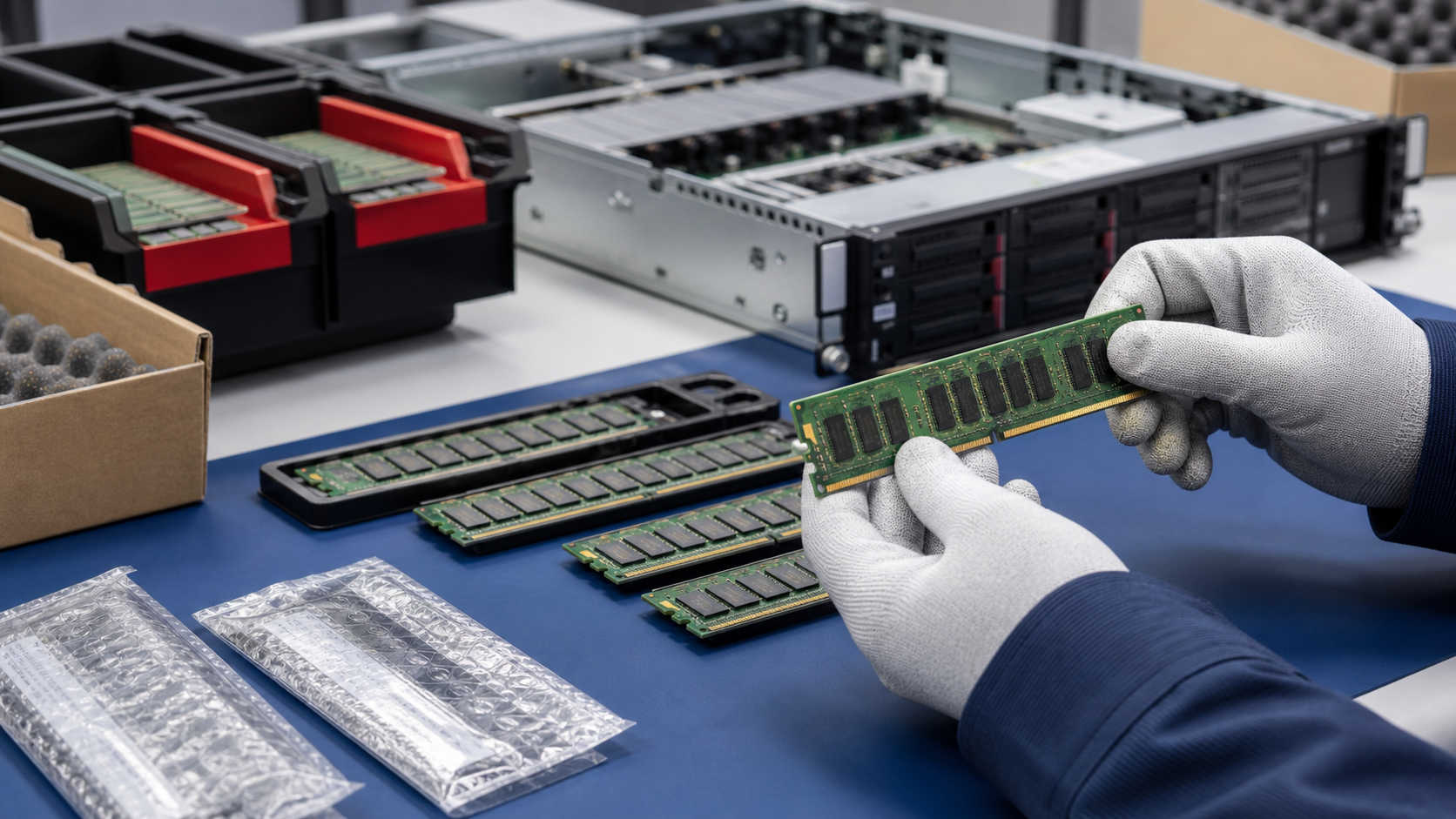
Server memory is small enough to look simple and important enough to stop an entire deployment. A box of DIMMs may represent a clean, budget-friendly upgrade, or it may become a compatibility problem if the wrong generation, module type, rank, speed, or population pattern arrives at the receiving bench. That is why used server memory should be purchased with the same care as servers, GPUs, storage, and network hardware.
For buyers sourcing tested components, memory is often tied to a larger project: adding capacity to virtualization hosts, extending a data center platform, upgrading engineering workstations, supporting AI inference nodes, or building repair inventory. TBR Trade Group helps customers source broader server and data center hardware, and memory orders work best when the request includes the exact platform and workload instead of only a target gigabyte number.
Start With the Platform, Not the DIMM
The safest way to buy used server RAM is to begin with the server model, motherboard, CPU family, BIOS level, and existing memory population. A module that is technically good can still be wrong for the chassis. DDR generation, ECC support, registered versus load-reduced memory, slot layout, channel count, rank limits, and CPU memory controller rules all affect whether the system will boot and run at the expected speed.
For mixed orders, share the make and model of each system being upgraded. If the request is for resale inventory instead of a specific install, define acceptable brands, capacities, part numbers, cosmetic condition, and whether substitutions are allowed. TBR's bulk computer parts sourcing page is a useful fit when the memory order is part of a wider component purchase that includes CPUs, GPUs, SSDs, cables, and accessories.
- Identify the server or workstation model, motherboard, CPU family, and current memory layout.
- Confirm DDR generation, ECC requirement, registered or load-reduced type, capacity, speed, and rank.
- Separate must-have part numbers from acceptable equivalents before requesting a quote.
- Ask whether the order will be matched by kit, part number, speed, rank, or supplier-tested equivalence.
Understand ECC, RDIMM, LRDIMM, and UDIMM Labels
Most business buyers looking for server memory are looking for ECC memory, but the label alone is not enough. ECC refers to error-correcting memory support. The module type then matters: registered DIMMs, load-reduced DIMMs, and unbuffered DIMMs are not interchangeable just because they share the same capacity or generation. A workstation board may accept ECC UDIMMs. A rack server may require ECC RDIMMs. Some high-capacity platforms may use LRDIMMs or newer high-density formats.
Kingston's Server Premier memory page is a good reminder of the number of variables buyers must control. It lists DDR4 and DDR5 server memory, ECC registered and unbuffered DIMM types, capacities, speeds, ranks, DRAM width, density, and voltage. Kingston also describes server memory quality around server-grade DRAM, rigorous 100% testing, platform validation, and controlled bills of materials. Used-memory buyers should bring the same discipline to receiving: know what is being purchased and verify that the lot matches the need.
DDR4 vs DDR5 Is a Platform Decision
DDR4 and DDR5 memory should not be treated as substitute line items. They belong to different platforms, and a server designed for one generation will not accept the other as a simple swap. DDR5 can bring higher bandwidth and newer capacity options, but DDR4 remains common in many proven server and workstation fleets. The right answer depends on the systems already owned, the cost of replacing the platform, and the workload's actual memory pressure.
The current market makes this decision more visible. Recent industry reporting has highlighted strong DDR5 demand, memory cost pressure, and even hyperscale interest in reusing older DDR4 capacity through advanced CXL designs. That does not mean a normal buyer should expect DDR4 to work in a DDR5-only server. It does mean memory capacity, reuse, and upgrade economics are now board-level purchasing questions, not just small accessory purchases.
If the memory is supporting CAD, rendering, simulation, scientific computing, or creative workstations, connect the request to the application. TBR's professional engineering workstations page can help frame those discussions around CPU, GPU, RAM, and storage together.
Capacity Is Not the Only Performance Question
More memory helps only when the platform can use it correctly. Buyers should ask how many channels need to be populated, whether all CPUs need balanced memory, how many DIMMs per channel are supported, and whether speed drops when additional slots are filled. A server may accept high-capacity modules but run them at a lower speed under a different population pattern. A dual-socket system may need memory on both CPU sides to avoid poor balance.
Kingston explains that MT/s means megatransfers per second and represents the effective data rate of DDR memory. For purchasing, that speed rating should be read alongside the server vendor's population rules. The fastest printed speed on the module is not always the speed the installed system will run after all slots are populated.
- Confirm total target capacity and per-module capacity before comparing prices.
- Ask whether the system needs balanced channels, matched modules, or CPU-side symmetry.
- Check whether adding more DIMMs will reduce memory speed on the target platform.
- For production systems, avoid mixing unknown lots unless the platform and supplier testing support it.
Ask What Testing Covers
"Tested server memory" should mean more than visually clean modules in a bag. A useful supplier should be able to explain whether memory was identified by part number, inspected for physical damage, checked for label condition, grouped by capacity and speed, tested in compatible systems, and packed to protect contacts. For critical deployments, ask whether the supplier can provide serial or lot tracking and whether modules were tested as a matched set.
The depth of testing should match the risk of the order. Lab spares, resale lots, repair inventory, and production upgrades have different tolerance for mixed part numbers or cosmetic wear. TBR's warranty, testing, and returns page is a helpful internal reference for setting expectations around pass/fail criteria, receiving evidence, replacement options, and timelines.
- Ask whether modules were tested in a compatible server or workstation platform.
- Confirm capacity, speed, ECC type, registered or load-reduced type, rank, voltage, and part number.
- Request lot consistency when installing memory into the same server or matched fleet.
- Clarify the process for dead-on-arrival modules, mismatched labels, bent contacts, or compatibility issues.
Do Not Ignore Physical Condition
Memory modules can be damaged by poor handling, flexing, contact contamination, electrostatic discharge, and rough packing. A used DIMM may look inexpensive until one gold contact is scratched, a label is unreadable, a module arrives loose in a box, or a receiving team cannot match the part number to the quote. Condition standards matter even for components that sit inside a server.
For larger orders, ask how modules are sorted and labeled. If the lot includes several speeds or capacities, the packing list should make that clear. TBR's hardware condition guide gives buyers a common language for grading hardware, and memory orders benefit from the same kind of plain condition expectations.
Package Server Memory for Electronics Handling
Good memory packaging has two jobs: prevent ESD exposure and prevent physical movement. Modules should not rub contacts against each other, slide around loose in a carton, or sit under heavy equipment. Anti-static protection, trays or sleeves, carton labels, and cushioning all reduce receiving surprises. If the order includes memory alongside CPUs, GPUs, SSDs, or motherboards, packaging should separate components by sensitivity and lot.
TBR's ESD-safe computer component packaging checklist goes deeper on anti-static protection, cushioning, labeling, and shipment readiness. For international component orders, the same planning should be paired with paperwork and carrier details before the shipment leaves the warehouse.
Reuse Can Be the Smart Upgrade
Memory reuse is not only a budget topic. EPA electronics guidance says donation and recycling help conserve resources and natural materials, and it advises considering hardware or software upgrades before buying a brand-new product. In server fleets, a memory upgrade can extend the useful life of equipment that still has reliable CPUs, storage paths, power supplies, and supportable workloads.
That does not mean every old platform deserves more RAM. If the server is unsupported, power hungry, locked to a dead-end workload, or uneconomical to maintain, replacement may be wiser. But when the chassis is stable and memory is the bottleneck, tested used modules can keep useful electronics in service. That fits the same practical reuse mindset behind used enterprise hardware sourcing and targeted corporate hardware upgrades.
Used Server Memory Buying Checklist
Before approving a used server memory order, confirm these details with the supplier:
- Target server, workstation, motherboard, CPU family, BIOS level, and current memory layout are documented.
- DDR generation, ECC support, RDIMM/LRDIMM/UDIMM type, capacity, speed, rank, voltage, and part number are clear.
- Matched quantity, acceptable substitutions, lot consistency, and population requirements are agreed before shipment.
- Testing process, pass/fail criteria, serial or lot tracking, and return expectations are defined.
- Physical condition, labels, contacts, and module organization are checked before packing.
- Anti-static packaging, trays or sleeves, cushioning, carton labels, and component separation are planned.
- The upgrade supports a real workload need instead of chasing capacity without platform confirmation.
If you are sourcing used ECC RAM, DDR4 or DDR5 server memory, workstation memory, CPUs, GPUs, storage, or mixed enterprise components, include model numbers, quantities, installed platform, target capacity, acceptable substitutions, condition expectations, and destination when you request a quote from TBR Trade Group.
FAQ
Is used server memory safe for production systems?
It can be, when the modules are compatible with the platform, tested appropriately, packed correctly, and backed by a clear support process. Buyers should avoid lots that are described only by capacity and price.
Can I mix RDIMM and LRDIMM modules?
Assume no unless the server vendor's documentation says otherwise for that exact platform. Registered and load-reduced DIMMs use different approaches and are normally purchased as separate configurations.
Should I buy matched server memory kits?
Matched modules are often the safer choice for production upgrades, dual-socket systems, and fleets where predictable behavior matters. For resale or repair inventory, mixed lots may be acceptable if they are sorted and labeled accurately.
What information should I send for a memory quote?
Send the server or workstation model, motherboard if known, CPU family, current installed memory, target capacity, desired module size, DDR generation, ECC/RDIMM/LRDIMM requirement, quantity, destination, and any preferred part numbers.
Source Notes
- Kingston, Server Premier Memory for Data Centers: Kingston lists DDR4 and DDR5 server memory options by speed, DIMM type, capacity, rank, voltage, and other variables, and describes platform validation, 100% testing, and controlled BOMs.
- Tom's Hardware, Meta reuses old DDR4 server memory in new DDR5-only servers: Published June 30, 2026; reports on hyperscale memory reuse through custom CXL hardware and explains why memory cost and capacity pressure are active infrastructure concerns.
- Sehgal et al., Optimizing System Memory Bandwidth with Micron CXL Memory Expansion Modules on Intel Xeon 6 Processors: Research published in December 2024 that discusses HPC and AI workloads needing substantial memory bandwidth and capacity, with experiments using CXL memory expansion.
- U.S. EPA, Electronics Donation and Recycling: EPA notes that donating or recycling electronics conserves resources and advises considering hardware or software upgrades before buying new products.