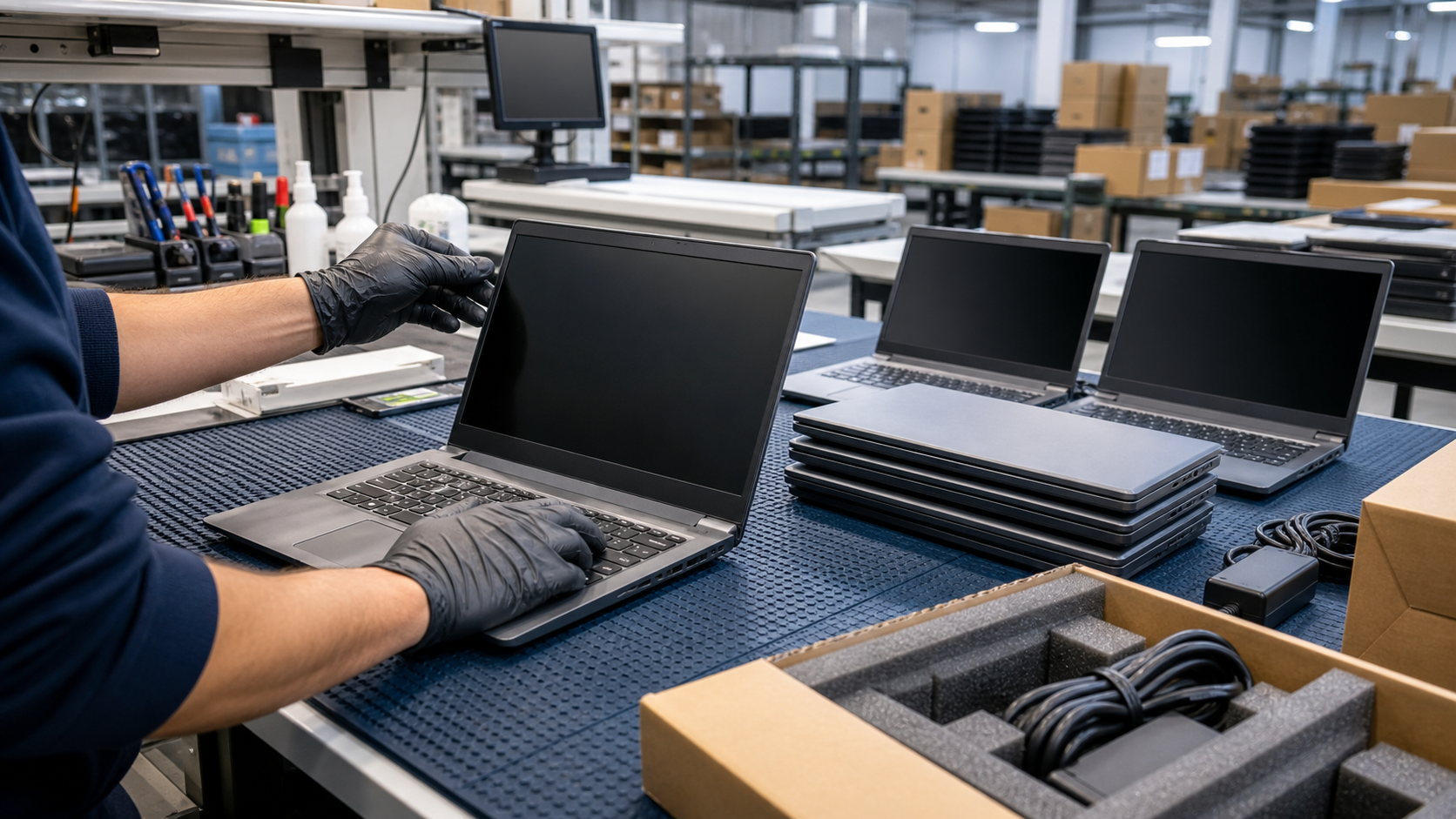
A used laptop order can look simple on a spreadsheet: model, processor, memory, storage, quantity, and price. In real buying, that is only the start. Business laptops carry batteries, screens, keyboards, webcams, ports, operating system requirements, storage devices that may have held sensitive data, and accessories that can slow a rollout if they are not defined up front.
TBR Trade Group helps buyers source tested used enterprise hardware, bulk computer parts, workstations, GPUs, servers, and affordable business electronics. Laptop requests are strongest when the buyer names the model family, acceptable alternates, quantity, grade, charger needs, destination, deadline, and intended use. A reseller lot, classroom refresh, field-service spare pool, lab bench, and corporate deployment do not need the same grade or test scope.
Start With the Use Case
The best laptop for a sales team is not always the best laptop for a school cart, warehouse scanner station, repair bench, nonprofit program, or parts-harvest order. Before asking for the lowest price, define what the laptops must do. That answer decides screen size, processor class, memory, storage, battery expectations, webcam needs, keyboard layout, operating system path, and cosmetic tolerance.
For production users, exact model matching can simplify docks, chargers, images, BIOS settings, driver packs, and spare parts. For labs, training rooms, or resale, a same-family mix may be acceptable if the grades and specifications are clear. For parts recovery, the quote may focus on screens, keyboards, motherboards, memory, storage, and charger availability instead of complete user-ready systems.
- Define the use: production staff, education, government, healthcare admin, lab, spare pool, reseller inventory, donation, repair, or parts.
- List must-have specs: screen size, CPU class, memory, storage, webcam, Wi-Fi, ports, keyboard language, and charger type.
- Decide whether exact model matching is required or whether same-generation substitutions are acceptable.
- Separate user-ready laptops from repairable, no-drive, no-battery, no-charger, or parts-only lots.
Windows 11 Readiness Is a Buying Filter
Operating system support should be checked before approving a business laptop order. Microsoft states that Windows 10 reached end of support on October 14, 2025, and that technical assistance, feature updates, and security updates are no longer provided for Windows 10. A Windows 10 laptop can still power on, but a production business deployment needs a support plan.
Microsoft's Windows 11 requirements include a compatible 64-bit processor, at least 4 GB of memory, 64 GB of storage, UEFI Secure Boot capability, TPM 2.0, DirectX 12 compatible graphics with a WDDM 2.0 driver, and a 720p or greater display. Those are minimums, not a practical business spec. Many buyers should still target more memory, larger SSDs, and a processor generation that fits their software stack.
This does not mean every non-Windows-11 laptop has no value. Some units may fit Linux labs, ChromeOS Flex evaluations, air-gapped tooling, parts, resale, or temporary projects. The point is to label the path honestly. A buyer should not receive a bulk laptop order expecting a supported Windows 11 fleet if half the lot cannot meet the firmware, TPM, or processor requirement.
- Ask whether the lot is Windows 11 ready, Windows 10 only, no-OS, Linux-ready, or sold for parts.
- Confirm TPM 2.0, Secure Boot, UEFI, processor generation, memory, and storage capacity.
- Check whether BIOS passwords, asset locks, management profiles, or firmware restrictions have been cleared where applicable.
- For corporate projects, align laptop eligibility with the buyer's endpoint management and security baseline.
Battery Health Needs a Number, Not a Guess
Batteries are one of the biggest differences between buying desktops and buying laptops. A device can pass a power-on test while still having a weak, swollen, missing, recalled, or end-of-life battery. For a warehouse bench or training room, lower runtime might be acceptable. For field staff, students, healthcare admin teams, or mobile technicians, battery health can decide whether the order is usable.
A practical quote should state whether batteries are included, tested, excluded, mixed, or sold as-is. If batteries are included, ask what threshold matters: design capacity compared with full charge capacity, cycle count, runtime test, swelling inspection, BIOS battery warning, or simple charge/hold confirmation. Also clarify whether original equipment manufacturer chargers are included or whether compatible adapters are used.
- Define the minimum battery health or runtime expectation before pricing the lot.
- Ask whether swollen, recalled, missing, or warning-status batteries are excluded.
- Match chargers by wattage, connector, USB-C Power Delivery requirements, and country power cord needs.
- Keep battery expectations different for production users, spares, classrooms, labs, and parts lots.
Storage Sanitization Is a Security Requirement
Used laptops may arrive with drives installed, drives removed, or replacement drives fitted. That choice affects cost, readiness, data security, and receiving work. For any device that previously held business, school, healthcare, financial, or personal data, storage handling should be defined in writing.
NIST released SP 800-88 Revision 2 in September 2025, shifting its guidance toward enterprise media sanitization programs for disposal or reuse based on information sensitivity. In plain buying terms, do not treat "wiped" as a complete procurement detail. Ask what was sanitized, by whom, under what process, and whether the order includes drive serials, erase logs, certificates, or no-drive status.
Some buyers prefer no-drive laptops so their own IT team installs known SSDs. Others prefer tested SSDs included to speed deployment. Both can work if the quote is explicit. The risk is assuming drives are present, clean, licensed, encrypted, or production-ready when the order never said that.
- State whether laptops should include SSDs, ship no-drive, or include replacement drives.
- Ask for sanitization method, certificate needs, serial reporting, and exceptions.
- Confirm whether operating systems, recovery partitions, or licenses are included or excluded.
- For sensitive environments, align buying requirements with internal security and asset-disposition policy.
Condition Grading Should Be Specific
Business buyers can often tolerate light cosmetic wear if the price and use case make sense. They should not ignore damaged screens, bad hinges, missing keys, cracked palm rests, dead webcams, weak ports, swollen batteries, BIOS locks, or unknown liquid exposure. A laptop has many more user-facing failure points than a server memory module or network card.
Use TBR's hardware condition guide to frame expectations around grade, cosmetic wear, missing accessories, and tested function. Then turn that language into quote-ready details. "Grade B" is helpful only when both sides agree what it means. A scuffed lid may be fine. A pressure mark in the display, broken USB-C port, or missing keycap may not be.
- Check screens for cracks, pressure marks, dead zones, backlight issues, and touch function if applicable.
- Inspect keyboards, trackpads, hinges, webcam, microphones, speakers, ports, palm rest, bottom cover, and rubber feet.
- Separate cosmetic wear from functional defects so buyers can price the lot fairly.
- Ask whether asset tags, engraving, stickers, or school markings are removed, retained, or acceptable.
Testing Should Match the Deployment Risk
"Tested" needs a scope. For used business laptops, a practical test can include visual inspection, power-on, BIOS access, battery status, keyboard and trackpad check, screen check, port sampling or full port testing, webcam and speaker check, Wi-Fi detection, storage status, memory amount, charger verification, and boot confirmation. The right level depends on the order.
A corporate refresh or education deployment may need every unit tested with a tighter checklist. A reseller lot may accept a documented sample test or grade mix. A parts order may need screens and motherboards sorted, not user-ready validation. TBR's warranty, testing, and returns page can help buyers set DOA timelines and replacement expectations before shipment.
- Ask whether every unit is tested or whether the lot is sampled.
- Define pass/fail checks for boot, screen, keyboard, trackpad, webcam, Wi-Fi, ports, storage, battery, and charger.
- Request model, serial, asset, or configuration reporting when receiving teams need reconciliation.
- Use pilot units before approving a large order for a managed endpoint environment.
Packaging Matters More Than People Expect
Laptops are compact, but they are easy to damage if packed loosely. Screen pressure, corner impact, charger abrasion, bent USB-C plugs, crushed hinges, and loose adapters can create avoidable returns. A bulk laptop shipment should arrive sorted, counted, and staged for the receiving team, not as a mixed stack of machines and cords.
PHMSA reminds shippers that lithium batteries are regulated as hazardous materials under U.S. DOT Hazardous Materials Regulations when transported in commerce, including batteries contained in electronic devices. PHMSA's lithium battery shipper guide was updated in October 2024 to help shippers package lithium cells and batteries for all modes. Buyers do not need to become hazmat experts to request laptops, but they should work with suppliers who understand battery condition, short-circuit protection, labeling, carrier rules, and destination requirements.
For broader shipment planning, pair this guide with TBR's shipping information, ESD-safe computer component packaging checklist, and international computer parts shipping checklist.
- Separate laptops from chargers, docks, loose metal parts, and heavy accessories.
- Protect screens from pressure and corners from impact using fitted inserts or sufficient cushioning.
- Label cartons by model, grade, charger status, drive status, and destination where useful.
- Confirm lithium battery shipping requirements for the carrier, destination, and device condition.
Sustainable Buying Still Needs Quality Control
Used business laptops can support sustainability goals when they extend the useful life of working electronics. EPA notes that reusing and donating operating electronics extends the life of valuable products and keeps them out of the waste stream longer. ENERGY STAR also says certified computers use about 30 to 40 percent less energy than standard models through efficient components and idle power management.
That sustainability angle is strongest when the hardware is actually fit for the next user. A lot of unsupported, locked, weak-battery, untested laptops may create more receiving work than value. A sorted and tested lot can help buyers reduce new-equipment spend, support a secondary fleet, stock spares, equip a classroom, or prepare resale inventory while keeping reusable electronics in productive service.
When equipment is too old, damaged, locked, or uneconomical to reuse, route it responsibly. TBR's IT asset recovery and secure e-waste disposal services can help separate reusable value from end-of-life material.
Bulk Used Business Laptop Quote Checklist
Before approving a used business laptop order, send enough detail for a realistic quote:
- Target model family, acceptable alternates, quantity, destination, deadline, and use case.
- Processor generation, memory, storage size and type, screen size, touch requirement, webcam, Wi-Fi, and ports.
- Windows 11 readiness, operating system expectations, BIOS lock status, and management-profile concerns.
- Battery health threshold, charger inclusion, adapter wattage, connector type, and power cord region.
- Drive inclusion, no-drive status, sanitization method, serial reporting, and certificate requirements.
- Condition grade, acceptable cosmetic wear, screen defects, keyboard wear, hinge issues, and missing accessories.
- Testing scope, whether every unit is tested, and how failures or substitutions are handled.
- Packaging requirements for sorted models, protected screens, charger separation, carton labeling, and lithium battery compliance.
- DOA, replacement, return, and receiving timeline expectations.
If you are sourcing used business laptops, workstations, desktops, monitors, GPUs, servers, computer parts, or broader business electronics, include model targets, quantities, condition expectations, accessory needs, accepted substitutions, and destination when you request a quote from TBR Trade Group.
FAQ
Are used business laptops good for company refresh projects?
They can be a strong fit for secondary fleets, spare pools, training rooms, field teams, nonprofits, schools, and budget-sensitive deployments when the buyer verifies Windows 11 readiness, battery health, condition, testing, and charger details.
Should I buy exact-match laptops or mixed lots?
Exact-match lots are easier for corporate imaging, docks, chargers, drivers, and support. Mixed lots can work for resale, labs, donation programs, or flexible deployments if models, specs, grades, batteries, and accessories are sorted clearly.
What battery health is acceptable for used laptops?
It depends on the use case. Mobile users need stronger battery expectations than bench systems, classrooms with carts, parts lots, or docked office laptops. Set a measurable threshold before quoting.
Do used laptops ship with operating systems?
Not always. Some lots include installed operating systems, some ship no-drive, and some include wiped or replacement drives. Buyers should confirm OS, license, recovery, and storage-sanitization details in writing.
Source Notes
- Microsoft Windows 10 end-of-support notice: Microsoft states that Windows 10 support ended on October 14, 2025, and that security updates are no longer provided after that date.
- Microsoft Learn Windows 11 requirements: Microsoft lists minimum hardware requirements including compatible 64-bit processor, 4 GB memory, 64 GB storage, UEFI Secure Boot capability, TPM 2.0, DirectX 12 compatible graphics, and 720p display.
- NIST SP 800-88 Revision 2 announcement: NIST says the revision focuses on enterprise media sanitization programs for reuse or disposal based on information sensitivity.
- PHMSA transporting lithium batteries guidance: PHMSA explains that lithium batteries are regulated as hazardous materials under U.S. DOT rules and that shippers must manage the risk of batteries in transport.
- PHMSA Lithium Battery Guide for Shippers: PHMSA describes its October 2024 shipper guide for packaging lithium cells and batteries in multiple configurations and modes of transport.
- EPA electronics stewardship guidance: EPA notes that reuse extends the life of working electronics and keeps products out of the waste stream longer.
- ENERGY STAR computer guidance: ENERGY STAR says certified computers are third-party certified for energy efficiency and use about 30 to 40 percent less energy than standard models.